AI in your app
Your app can use AI for its own users: suggest a class, draft a reply to a ticket, summarise a week, give a student a hint. One call from a screen or a workflow returns text. The model key never reaches the browser, and you decide how much each app and each user may spend.
When to use it
- Suggestions behind a button: a class to take, a reply to send.
- Summaries of a record, a thread or a period.
- Triage in a workflow: tag or prioritise new rows before anyone looks.
- Hints with a system prompt that forbids giving the answer.
Step by step
- Make sure AI is on for the project (Project settings, Appbricx AI). It uses your plan's credits or your own key.
- In a component, call
app.ai.ask(prompt, { system, maxTokens })behind a user action. - Catch the error and show a fallback, so the screen works without AI.
- For server-side AI, call
ctx.ai.askin a workflow or server function.
Code
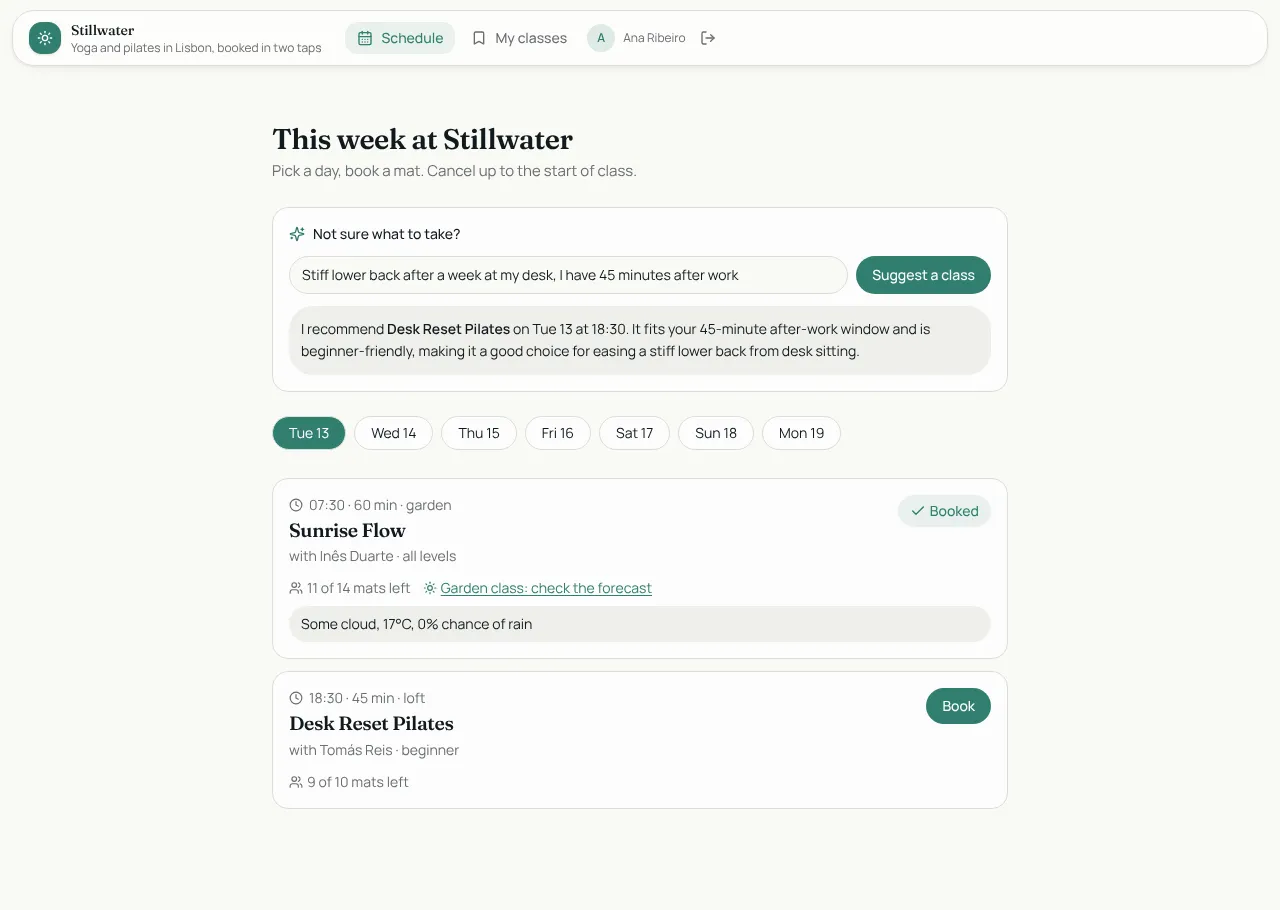
The booking app's "Not sure what to take?" box:
async function suggest() {
  if (!app || !feeling.trim()) return;
  setThinking(true);
  const list = upcoming.slice(0, 20)
    .map((s) => `- ${s.title} (${s.style}, ${s.level}, ${s.duration_min} min) on ${day(s)} at ${time(s)}`)
    .join("\n");
  try {
    const answer = await app.ai.ask(`How I feel today: ${feeling}\n\nClasses this week:\n${list}`, {
      system: "You are the front desk at a small yoga and pilates studio. Recommend ONE class from the list and say why in two short sentences. Use markdown bold for the class name. Never invent classes.",
      maxTokens: 600,
    });
    setAdvice(answer.trim() || FALLBACK);
  } catch {
    setAdvice(FALLBACK);
  } finally {
    setThinking(false);
  }
}
A conversation
const next = await app.ai.chat(
  [...history, { role: "user", content: question }],
  { system: "You are a maths tutor. One hint at a time. Never give the final answer.", maxTokens: 400 },
);
In a workflow
let priority = "normal";
try {
  const a = await ctx.ai.ask(`Ticket: ${String(row.body)}`, { system: "Reply with one word: urgent, normal or low." });
  if (["urgent", "normal", "low"].includes(a.trim())) priority = a.trim();
} catch { ctx.log("AI unavailable, default priority"); }
await ctx.db.update("ticket", String(row.id), { priority });
Stay in control of cost
- On or off per project. Off means every call rejects at once with no usage.
- Model allow-list per project.
- Token budgets for the whole app and per user, over a window you choose.
- Rate limits per project, so a loop is cut off quickly.
- Usage in Project settings, Appbricx AI.
Which key pays
Add your own model key (Anthropic, OpenAI, Azure OpenAI and many more) under AI settingsand pin it to the project; your provider bills you directly. With no key pinned, calls use your plan's AI credits (see pricing). The same settings choose the key the builder's own chat uses; the full order is in AI key resolution.
Gotchas
- Always have a fallback. Calls reject when AI is off, a budget is reached or there are no credits. Never make a core action depend on an answer.
- Leave room in
maxTokens. With a cap of 200 we once got an empty answer back; 600 was reliable. Treat an empty string like a failure. - Call it on a click, not on every render. Each call is metered.
- Give it the facts. Pass the rows it should choose from and tell it not to invent others.