Templates
Start from a working app instead of a blank page, and add common features without writing them. The template gallery holds four kinds, all free and published by Appbricx, and every one passes the same checks as a contract you write yourself.
Four kinds
- App: a complete contract (tables, roles, access, rules, workflows, custom screens, demo data). Using it creates a new project.
- Block: a feature for an app you already have: its tables, access, rules, workflows, pages and components, such as Stripe subscriptions or comments.
- Workflow: an automation, plus any field it needs, such as a booking reminder or a daily digest.
- Component: a custom React component you place on any page, such as a trend chart.
With your coding agent
With the Appbricx MCP server connected, the agent has four tools for templates, and the contract guide tells it to look for a template before it builds a common feature itself:
search_templates(query,kind,category,limit): find candidates.get_template(slug): the README, the params, what it adds and the fragment itself.use_template(slug,project_id,params,prefix,dry_run): withdry_runthe merged diff and the check report; without it, applied to the dev environment. An app template creates a new project.save_template(project_id,name,description,include_seeds): save the project as a private template of your workspace (see below).
Ask in plain words:
Add Stripe subscriptions to my app. Use the template, show me
the dry run first, then apply it.
The agent runs something like:
use_template { "slug": "stripe-subscriptions",
               "project_id": "3b7e…",
               "params": { "subscriber_role": "member" },
               "dry_run": true }
+ table plan (name, description, price, currency, interval, …)
+ table subscription (subscriber_id, plan_id, status, sync, …)
+ workflow subscription-checkout (Start a Stripe Checkout for a plan)
+ page /billing (Plans and billing)
+ 2 starter rows in plan
With the CLI
appbricx templates search "booking reminder"
appbricx templates show booking-confirmation-and-reminder
appbricx templates use booking-confirmation-and-reminder \
  --param booking=appointment --param customer_ref=patient_id --dry-run
appbricx templates use relay --name "Help desk"     # an app: new project
The same operations are on the developer API: GET /api/dev/v1/templates, GET /api/dev/v1/templates/:slug and POST /api/dev/v1/templates/:slug/use.
In the builder
New project, App template lists the app templates; pick one and the app is built in the new project's dev environment. On any template's page, Use in Appbricx creates a project from an app, or previews and adds a block, workflow or component to a project you choose.
Private templates
On Pro and Business with your agent, and Business with AI included, you can save a project as a private app template that only people in your workspace see. In the builder, open the ⋯ menu and choose Save as template; from your agent, call save_template (project_id, name, description, include_seeds); over HTTP, POST /api/dev/v1/templates. Sign-in accounts, demo passwords and password, token and key columns are left out, project secrets are never copied, and sample rows come along only when you ask. Private templates show up for your workspace in search_templates (marked private), in New project and under Your workspace on the templates page; nobody outside the workspace can find or use them. Whoever saved one, or a workspace owner or admin, can delete it.
Params, clashes and checks
- Params say where a template attaches to your app: one of your tables (
{ "attach_to": "booking" }), one of your roles, a field of the right type, an enum value, or text. Params with defaults may be left out; the reply says which defaults it used. A wrong one is refused with the options you have. - Nothing is overwritten. If your app already has a table, workflow, page, route or component with a name the template uses, the use is refused with the list. Pass a
prefix(crmgivescrm_comment,/crm-discussion,CrmCommentThread, with every reference renamed) or rename yours. - Checked before it applies. The merged contract must check as cleanly as your app did before: no errors and nothing the normalizer had to guess. Otherwise you get the report and nothing changes.
- Dev only. A template is applied to the dev environment. Deploy publishes it, as with any change.
- Yours afterwards. Its tables, workflows and components are ordinary contract parts: change them with
patch_contract.
Apps
Each is the complete contract of a live app: sign in as each role, then change it in plain words.
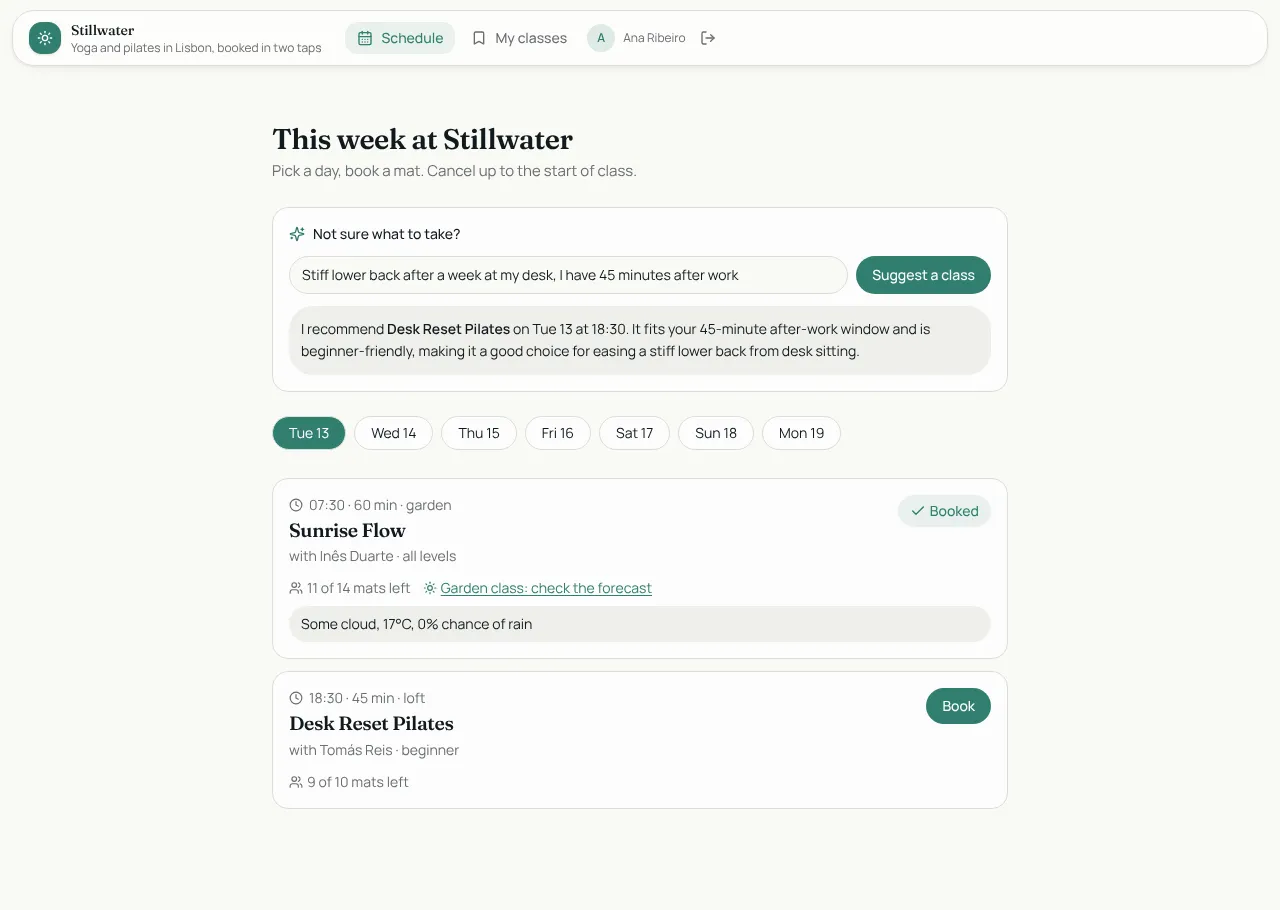
Studio Bookings
Class booking for a yoga and pilates studio. The app from the tutorial.
Members sign up and book. Instructors run the schedule.
- Weekly schedule with one-tap booking
- My classes with cancel
- Instructor desk with rosters, check-in and a bookings chart
Shows off: Business rule: no booking a full class, Server function calling a weather API, AI class finder, Sign in with Google, Workflows and a morning digest.
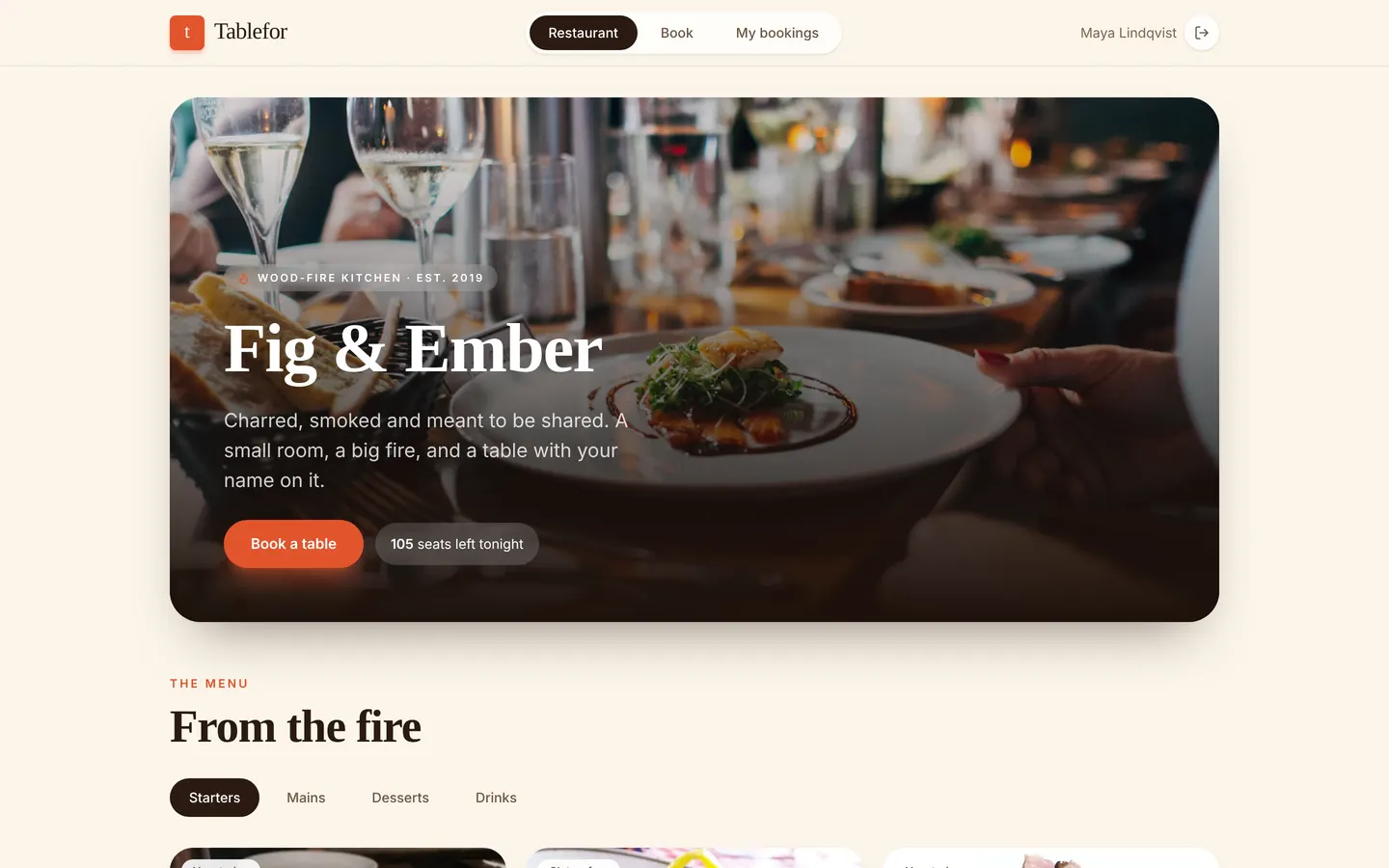
Tablefor
Restaurant reservations with a live kitchen board.
Guests sign up and book. Hosts run the floor. Chefs work the kitchen display.
- Menu, opening hours and a slot picker
- Bookings with a QR code for the door
- Host floor timeline and walk-ins
- Full-screen kitchen tickets
Shows off: Business rule: no overbooking a slot, Realtime kitchen tickets, Hourly no-show sweep, Guests see only their own bookings.
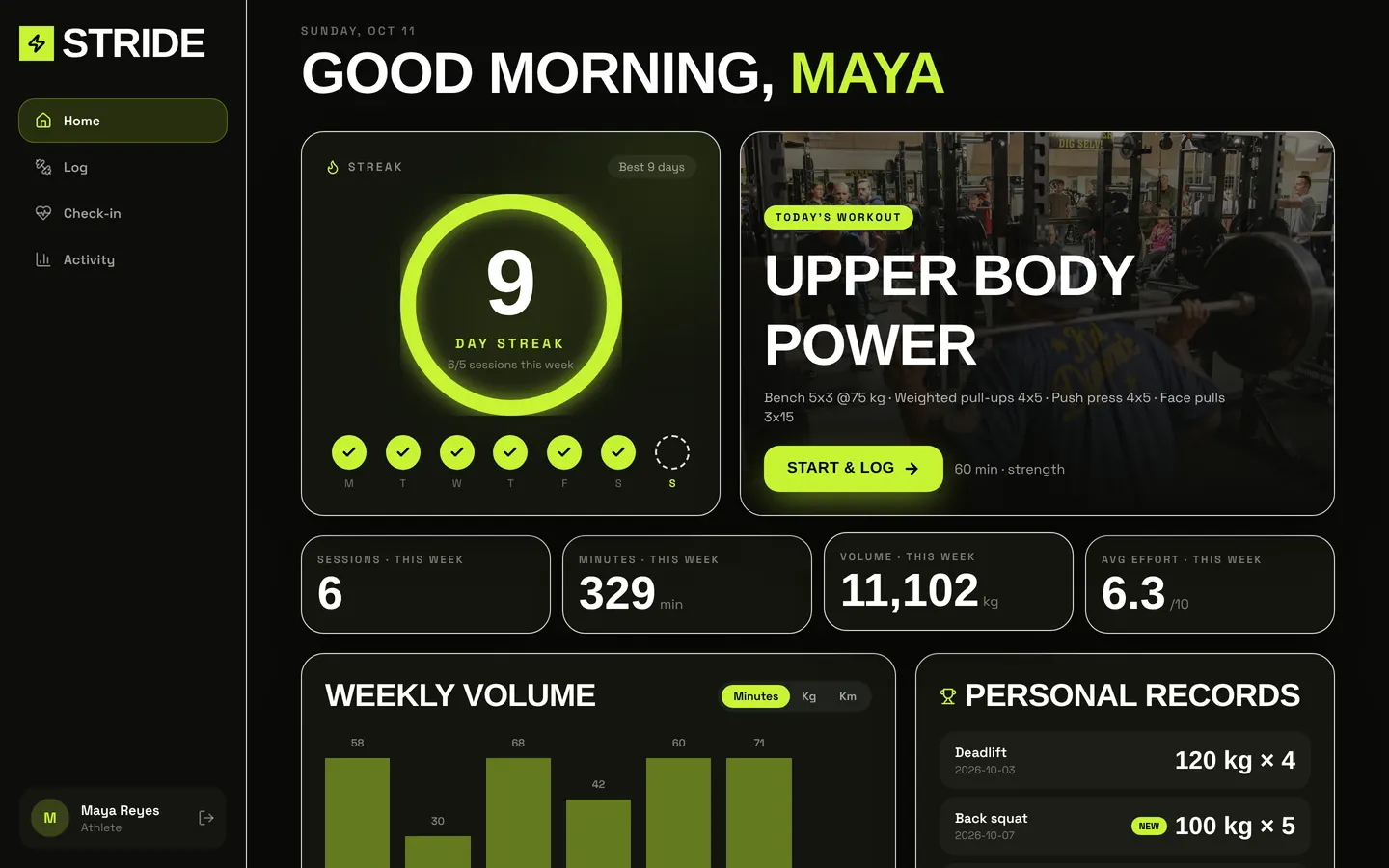
Stride
Fitness coaching: plans, workout logs and check-ins.
Athletes sign up. Coaches follow their athletes.
- Athlete home with streak ring and weekly volume chart
- Workout logging and daily check-in
- Coach roster and feedback
Shows off: Rules: one check-in a day, no future workouts, Weekly digest on a schedule, AI coach's tip, Coaches see only their athletes.
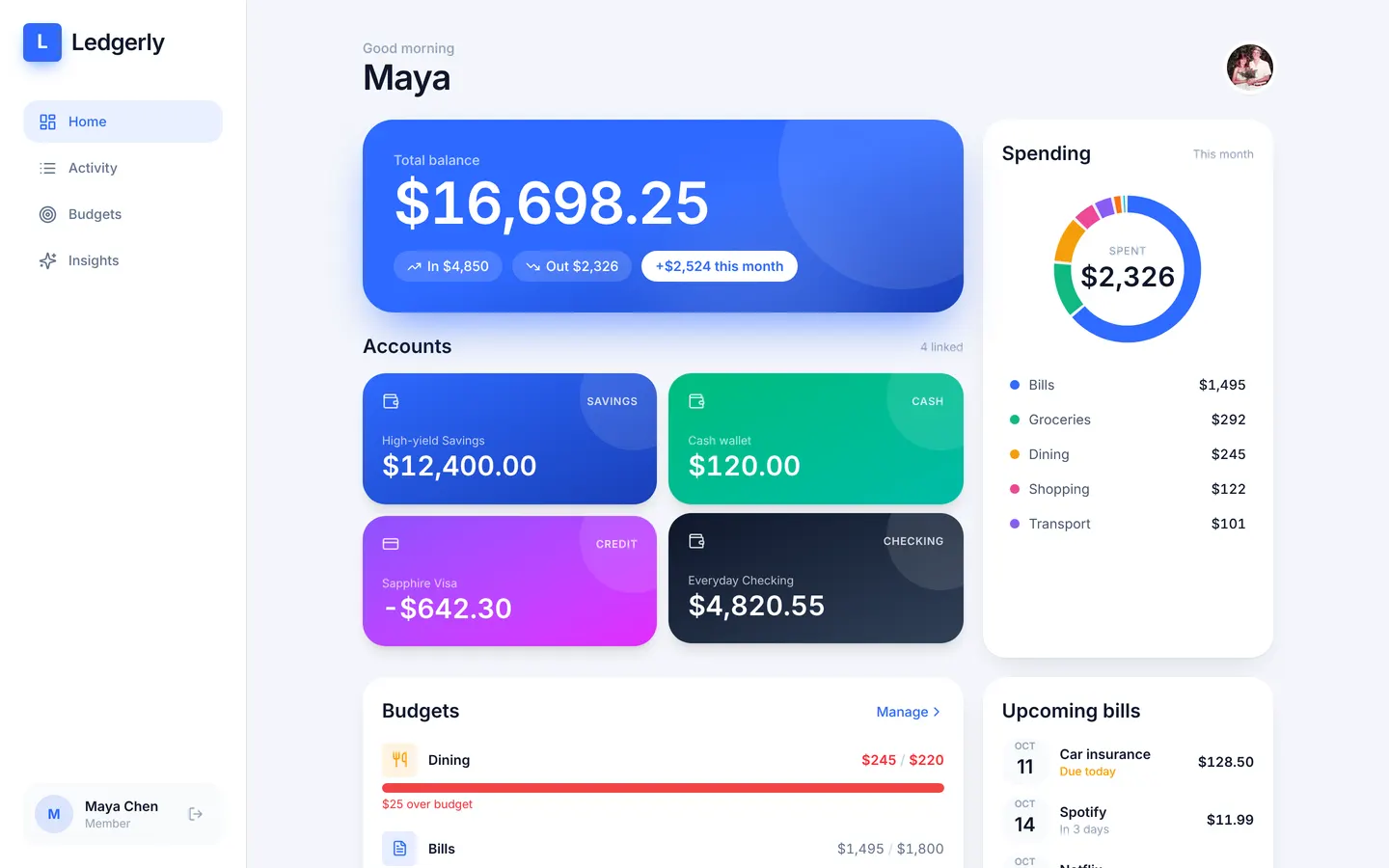
Ledgerly
Personal finance: accounts, budgets, bills and insights.
Members sign up and manage only their own money.
- Dashboard with balances and a spending donut
- Transactions grouped by day
- Monthly budgets and recurring bills
Shows off: Strictly private rows, Rules on amount and date, Daily recurring bills workflow, AI explains your month.
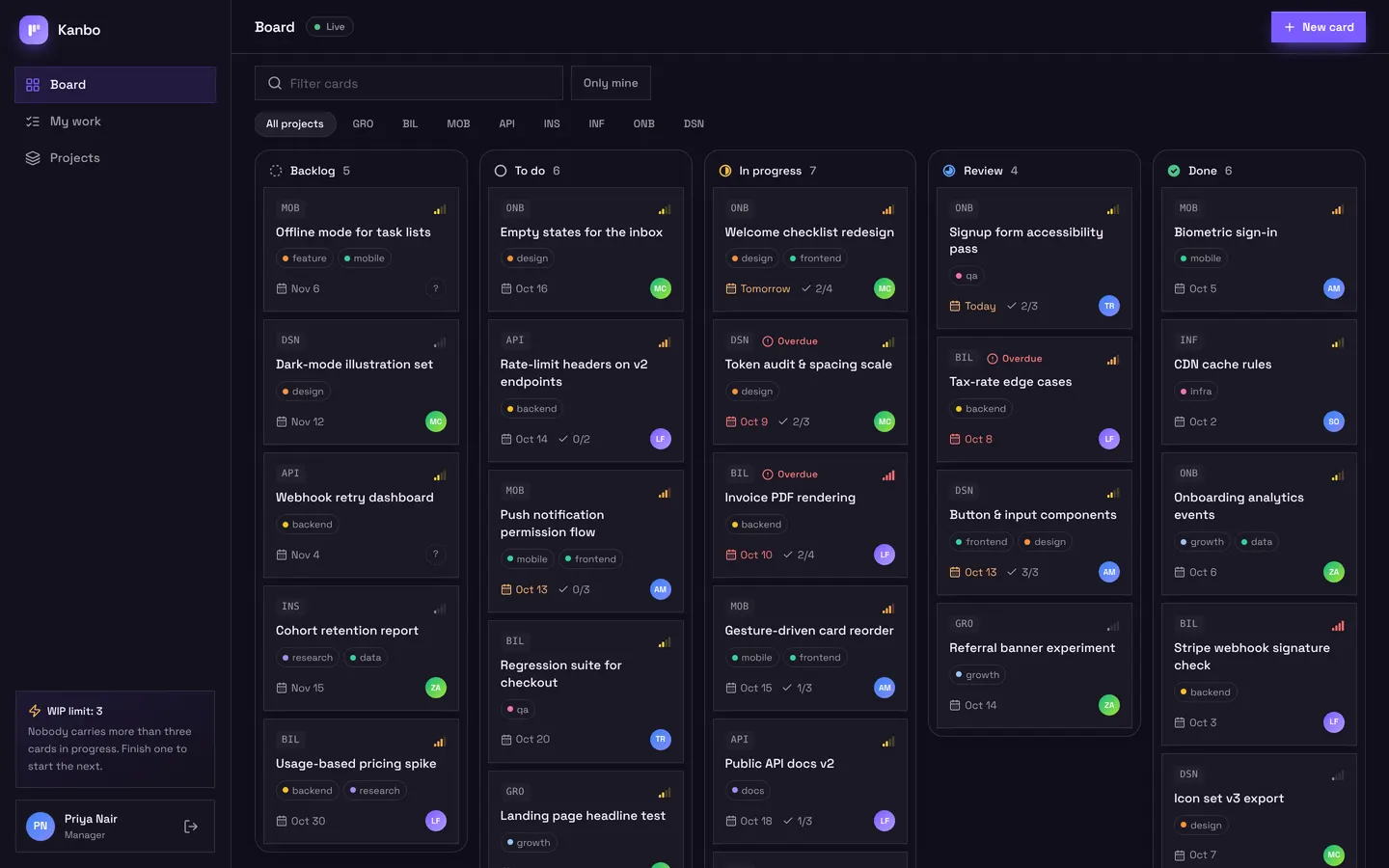
Kanbo
Team project board with drag and drop.
Managers and members, invited by the team.
- Board with columns and draggable cards
- Card sheet with checklist and comments
- My work and project progress
Shows off: Rule: work-in-progress limit per person, Realtime board, Notify the assignee, Daily overdue flag.
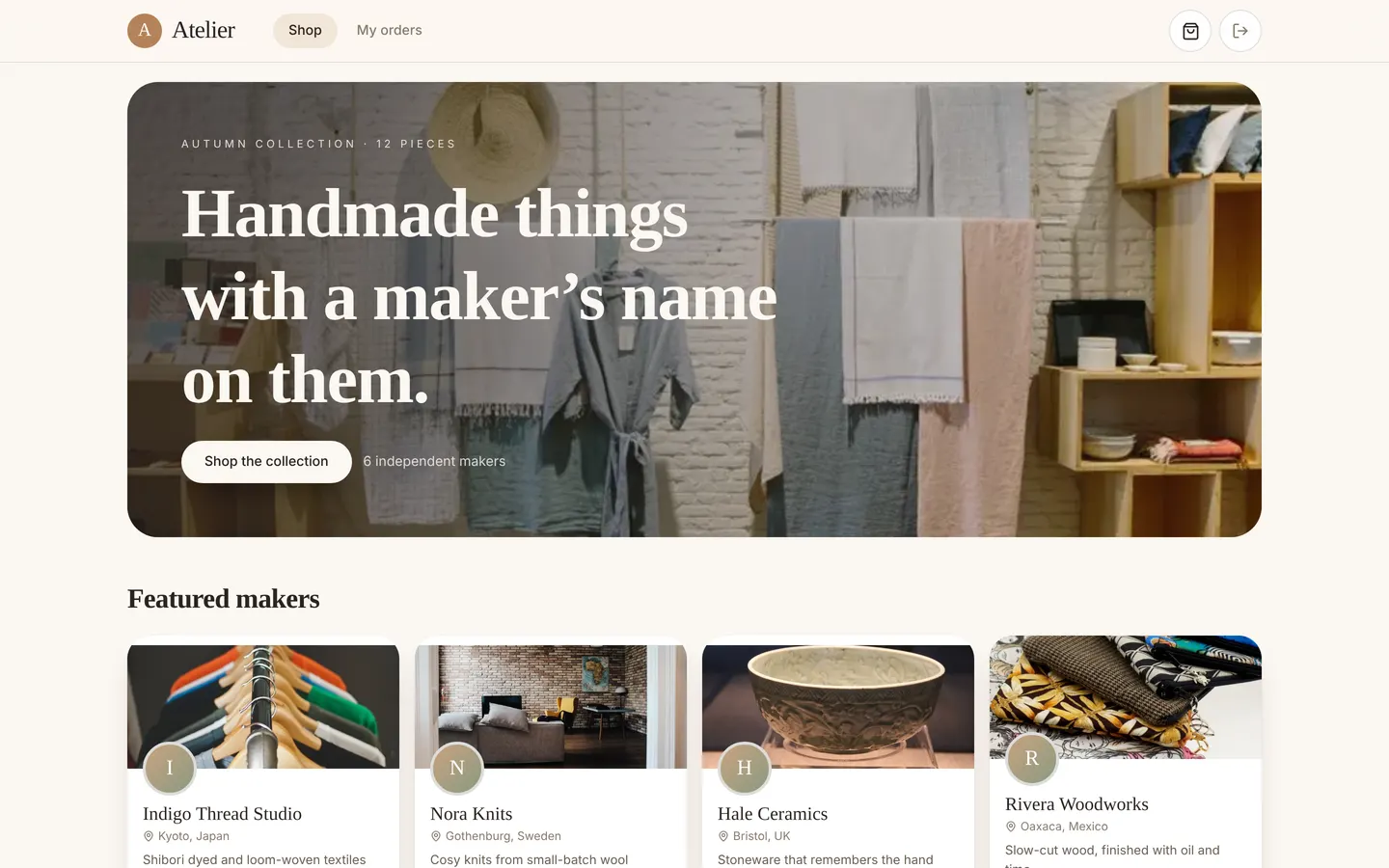
Atelier
Marketplace for handmade goods.
Buyers sign up. Sellers run a studio. An admin approves products.
- Shop with product pages and a cart
- Orders with a status timeline
- Seller studio with stock and earnings
Shows off: Rules: stock limits, no buying your own product, Payment webhook marks orders paid, Buyers and sellers see only their own orders.
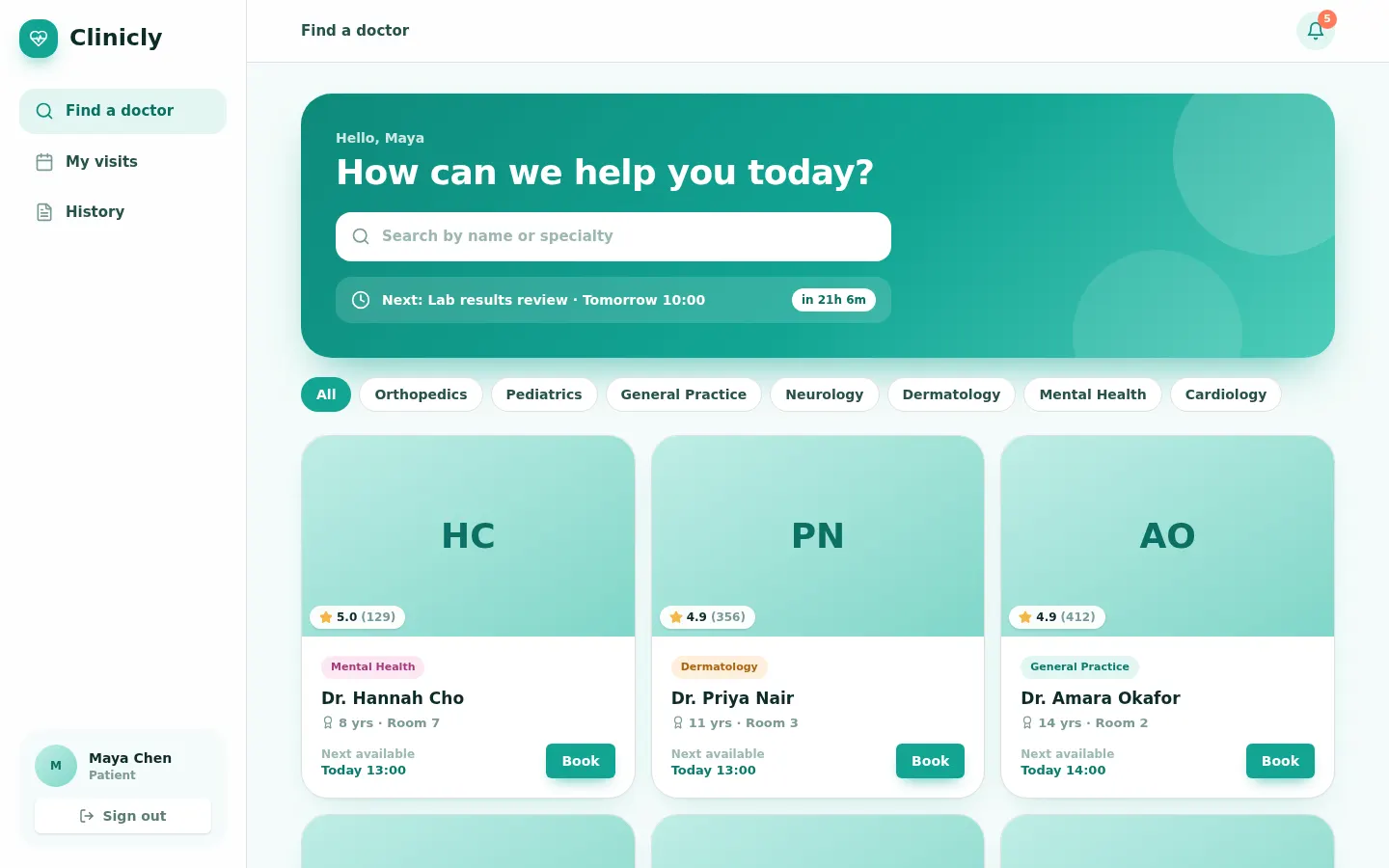
Clinicly
Clinic appointments with doctors, front desk and visit notes.
Patients sign up. Doctors and the front desk work the schedule.
- Find a doctor and book a slot
- Doctor day timeline and visit notes
- Front desk check-in
Shows off: Rule: no overlapping appointments, clinic hours only, Hourly reminders, Desk can't read visit notes.
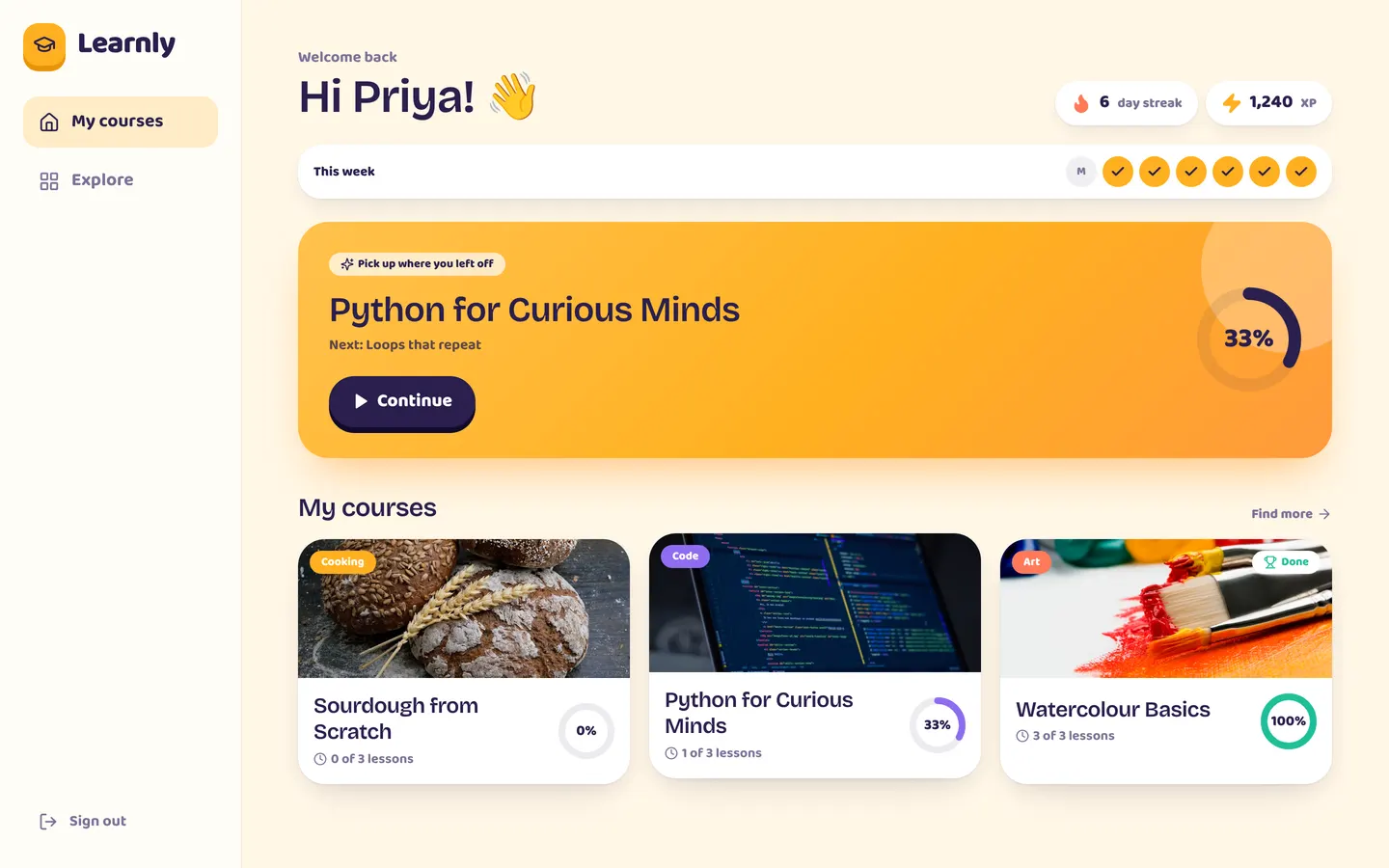
Learnly
Online courses with lessons, quizzes and certificates.
Students sign up. Instructors build courses.
- My courses with progress rings
- Lesson reader and quizzes
- Instructor course builder and scores
Shows off: Rule: three quiz attempts at most, Course completion workflow, AI hint that doesn't give away the answer.
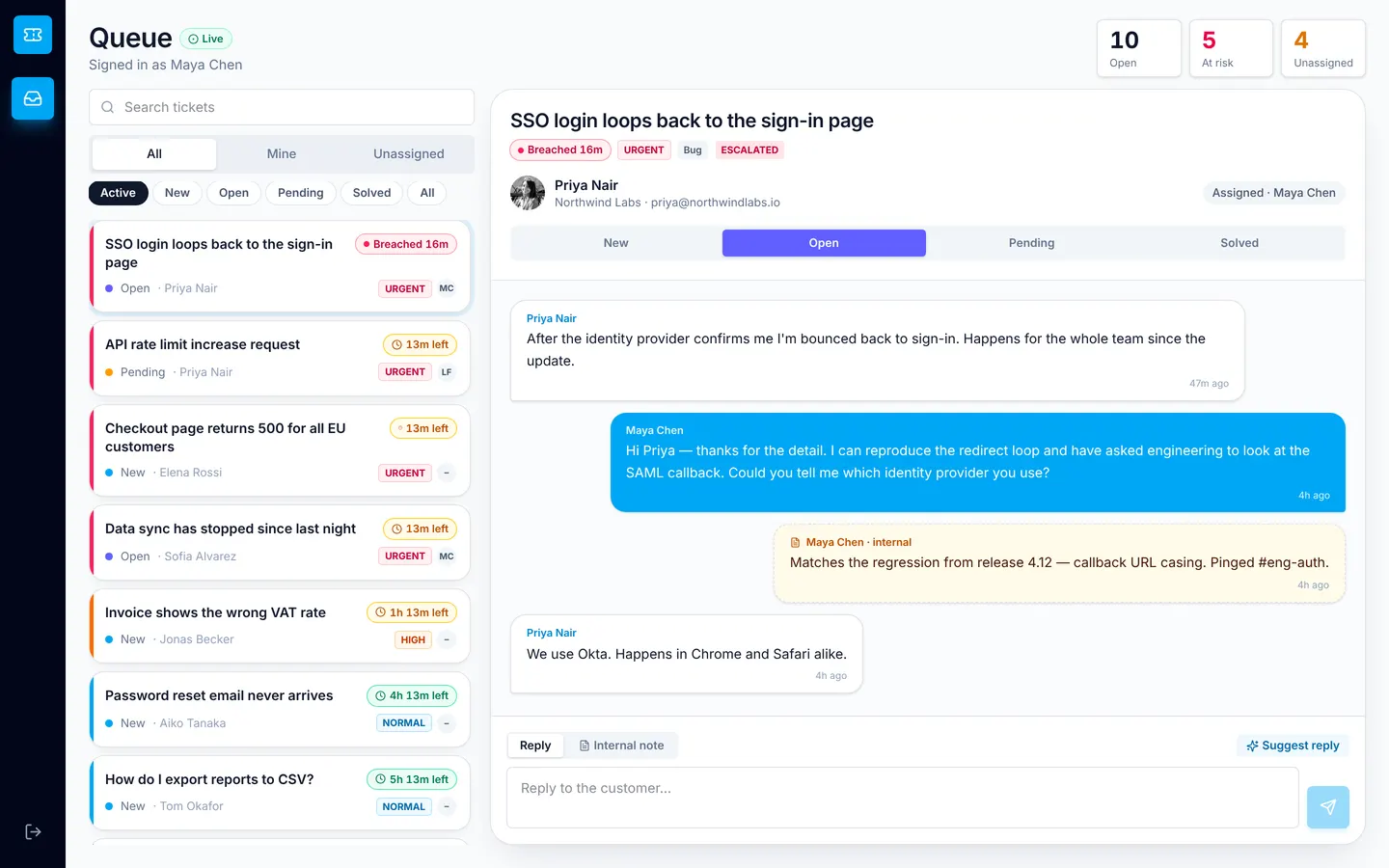
Relay
Support desk with SLA timers and an email-to-ticket webhook.
Customers sign up. Agents work the queue. A lead watches the numbers.
- Customer portal with ticket threads and ratings
- Agent inbox with SLA chips
- Lead dashboard
Shows off: Inbound webhook creates tickets, SLA escalation every 15 minutes, Internal notes customers never see, AI triage and suggested replies.
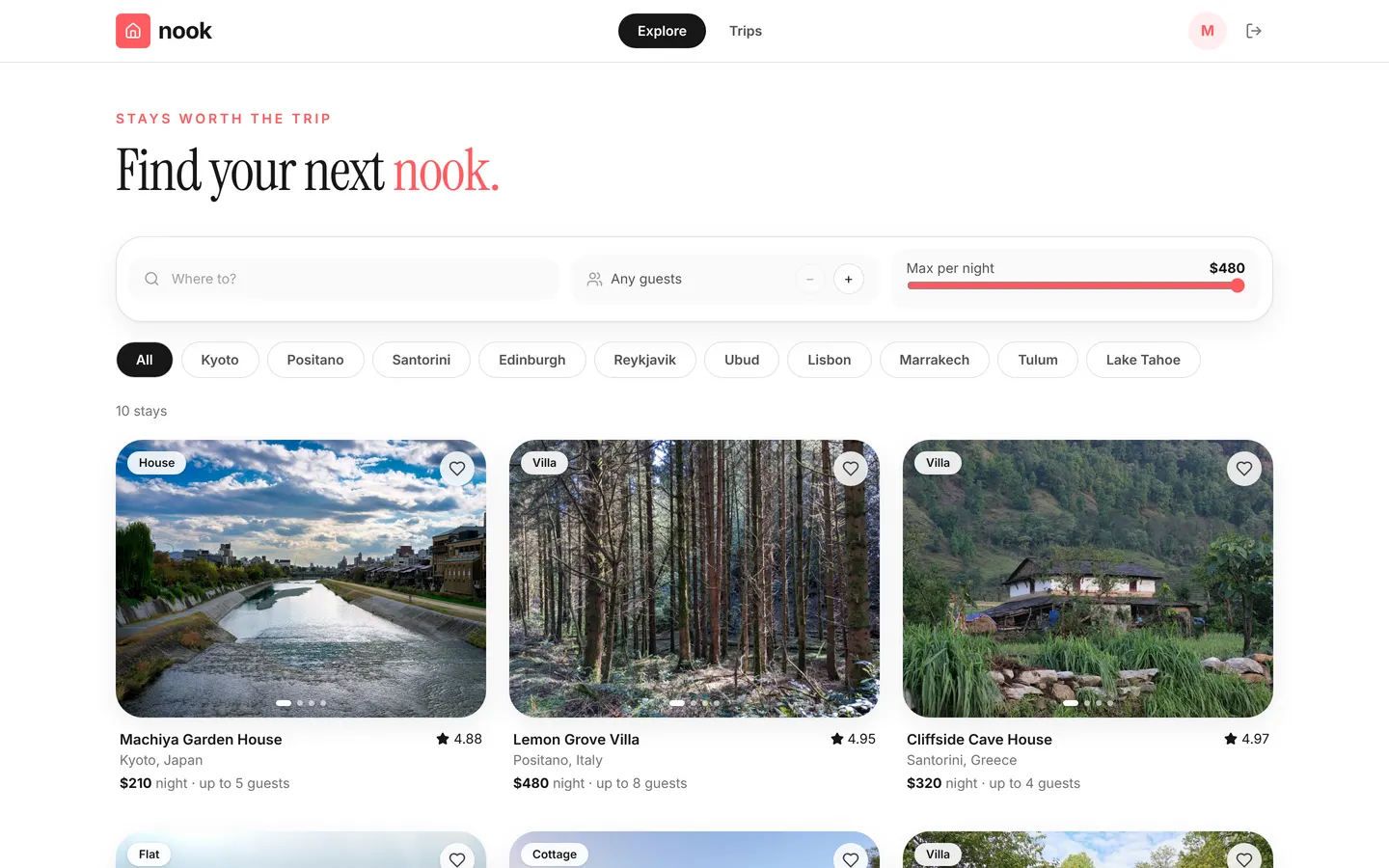
Nook
Vacation rentals with availability, requests and reviews.
Guests sign up. Hosts list stays and accept requests.
- Stays grid with photo carousels
- Booking panel with price breakdown
- Host listings, requests and earnings
Shows off: Rules: no overlapping stays, reviews only after a stay, Booking lifecycle, Daily completion workflow, AI plan my stay.
Blocks
- Organisations and teams (
organisations-and-teams): Let people create organisations, form teams, invite colleagues by email and give them owner, admin or member roles. Params:member_role,email_field,attach_to. - Booking calendar (
booking-calendar): Bookable time slots with capacity, a day picker, my bookings with cancel, and rules that stop double-booking. Params:attach_to,booker_role,org_field. - Stripe subscriptions (
stripe-subscriptions): Monthly or yearly plans paid through Stripe Checkout, with a billing page and Stripe's own billing settings. Params:subscriber_role. - Comments (
comments): Threaded comments on any record, with replies, @mentions, edits and live updates. Params:attach_to,author_role,org_field. - Chat thread (
chat-thread): A live chat on any record (a ticket, an order, a booking): messages as they're sent, who's typing, who's here, edit and delete. Params:attach_to,author_role,staff_role,read_scope. - Notifications (
notifications): A notification centre for each person, with a bell for any page and email and text message preferences they control. Params:recipient_role,email_field,sms_from. - One-off payments (
one-off-payments): Take a card payment for any record (a booking, an order, an invoice) through Stripe Checkout, confirmed by the server. Params:attach_to,price_field,payer_role,payer_ref,currency. - File uploader (
file-uploader): Attach files to any record: drag-and-drop uploads, image thumbnails, notes and downloads, shared with exactly the people who can see the record. Params:attach_to,org_field. - Razorpay payments (
razorpay-payments): Take a payment in INR for any record (a booking, an order, an invoice) through a Razorpay Payment Link: UPI, cards, netbanking and wallets, confirmed by Razorpay's signed webhook. Params:attach_to,price_field,payer_role,payer_ref,currency. - AI chat panel (
ai-chat-panel): A private AI assistant inside your app that answers from the records each person is allowed to see, with saved conversations. Params:context_entity,context_entity_2,assistant_name,suggestions.
Workflows
- Welcome email (
welcome-email): Emails every new person a short, friendly welcome the moment they sign up. Params:person,email_field. - Slack message on signup (
slack-on-signup): Posts to a Slack channel whenever someone new signs up, with their name and email. Params:person,channel. - Booking confirmation and reminder (
booking-confirmation-and-reminder): Emails a confirmation when a booking is made and a reminder the day before it starts. Params:booking,starts_field,customer_ref,email_field,tz. - Slack when a status changes (
slack-on-status-change): Posts to a Slack channel when a row's status changes to the value you pick: an order shipped, a deal won, a ticket escalated. Params:entity,status_field,value,channel. - Daily digest (
daily-digest): Every morning, sends your team a digest of yesterday's new rows in one table, in-app and by email. Params:entity,role,time,tz. - Overdue alerts (
overdue-alerts): Each morning, flags rows past their due date, tells the person assigned and sends the team a list. Params:entity,due_field,status_field,done_value,assignee_ref,notify_role. - Reply deadline escalation (
reply-deadline-escalation): Escalates tickets or requests nobody has answered within your deadline, to a lead and the assignee. Params:ticket,status_field,waiting_value,hours,escalate_role,assignee_ref. - Stripe payment received (
stripe-payment-received): Records every paid Stripe Checkout session the moment Stripe reports it, once, and tells your team. Params:staff_role. - AI summary on create (
ai-summary-on-create): Writes a one-line AI summary of every new row, and can file it into the right category, like an AI triage for tickets, leads or requests. Params:entity,text_field,extra_field,classify_field. - Weekly KPI email (
weekly-kpi-email): Every week, emails your team this week's numbers for one table against the week before: count, total, average and a breakdown. Params:entity,value_field,date_field,group_field,role,day,time,tz,format,currency.
Components
- Trend chart (
trend-chart): A daily bar chart of new rows in any table, with the change against the period before. Params:entity,page_role. - CSV export (
csv-export): A Download CSV button for any table, with a preview of the first rows. Params:entity,page_role. - Presence avatars (
presence-avatars): Faces of the people looking at a record or a page right now, updating as they arrive and leave. Params:entity,page_role. - Kanban board (
kanban): A drag-and-drop board over any table with a status field: a lane per status, quick add, search, and a card sheet to edit in place. Params:entity,status_field,page_role. - Live activity feed (
activity-feed): A feed of what just happened to any table's records (added, updated, removed), live as it happens and only for rows the viewer can see. Params:entity,page_role. - Data grid (
data-grid): A spreadsheet-style grid for any table: sort, search, filter, edit cells in place, add and bulk-delete rows, and export what you see as CSV. Params:entity,page_role. - Calendar (
calendar): A month calendar and agenda over any table with a date: colour-coded, drag to reschedule, add on a day, edit in place. Params:entity,date_field,end_field,color_field,page_role. - KPI chart cards (
chart-cards): KPI cards and a trend chart for any table: total, average and count over 7, 30 or 90 days, the change on the period before, and a breakdown. Params:entity,value_field,date_field,group_field,format,currency,page_role. - Command palette (
command-palette): A search bar that opens a command palette: find records across the whole table, create one in place, move it on, open or delete it, jump to pages. Works on phones. Params:entity,entity_2,page_role.
From the files
Every template is also a folder in the public appbricx-examples repo (templates/, blocks/, workflows/, components/), with a template.json, the contract or fragment and a README. TEMPLATE_FORMAT.md there describes the format.
Gotchas
- Demo data is fictional; emails are on example.com. Replace it, or omit
seedsafter your first apply to keep your own rows. - Ledgerly and Nook keep fixed demo passwords because their sign-in screens have quick-fill buttons. Remove those before you publish a real app (the READMEs say how).
- Integrations start disconnected. Steps that post to Slack or send texts are skipped until you connect the service. Templates that take Stripe payments need
STRIPE_SECRET_KEYandSTRIPE_WEBHOOK_SECRETin the project settings, and a Stripe webhook endpoint at the URL the builder shows under Backend, API; the use reply lists what to set up. Return links use the app's own address, so there is noAPP_URLto set. - An app has at most 10 workflows. A template that would go past that is refused; remove one you no longer need first.