Your AI key. Your AI bill. No markup.
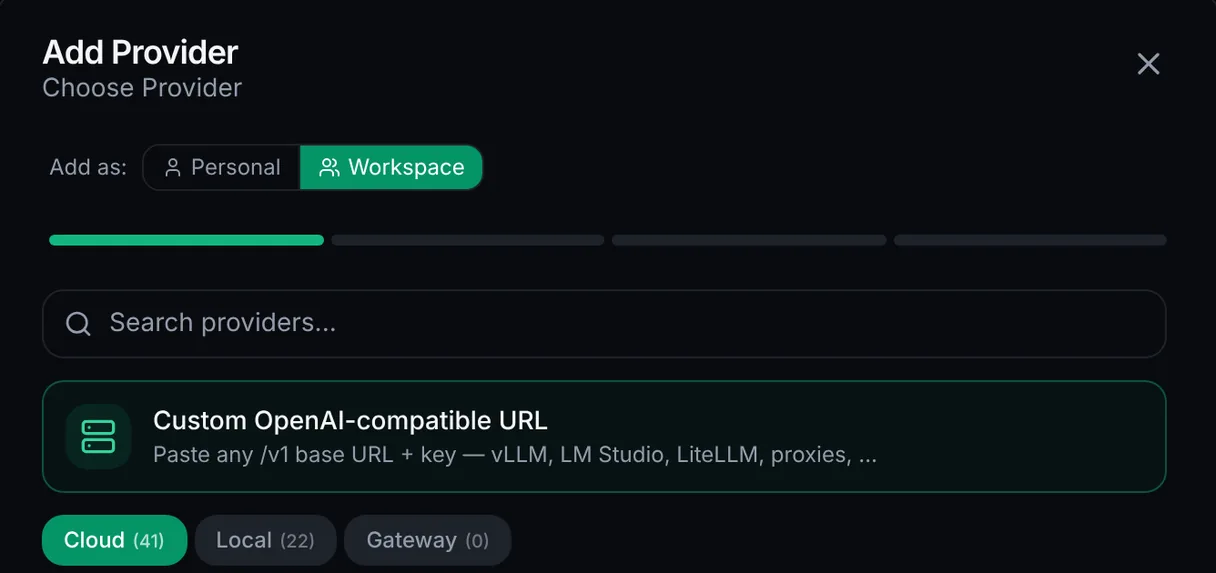
Use the Appbricx AI builder with your own Anthropic, OpenAI, Azure or compatible key (BYOK: bring your own key). Usage goes straight onto your provider bill at their rates, and we add nothing on top.
Already use Claude Code or Cursor? Connect it and Appbricx uses no AI credits at all. Your plan pays only for running your apps.
- One AI bill, with your providerAdd your key in AI settings. Every model call is billed to your own provider account, at their price. We never mark it up.
- A complete app, not just screensSign-in, a database where each user only sees their own data, server rules, emails, scheduled jobs and webhooks, built together with the screens.
- Your key stays privateYour key is kept on our servers and never reaches the browser. Your apps call the model through Appbricx, so the key is never exposed to your users.
How it works
- Open AI settings (you need to be a workspace admin)
- Pick your provider and paste your API key (or sign in, where the provider supports it)
- Choose that provider and model in the editor chat
- Build. Model usage bills to your provider; Appbricx still uses plan credits to coordinate the build
Step-by-step guide: Bring your own key docs. The thinking behind it: Why I built Appbricx with BYOK instead of charging per generation.
When your own key makes sense
- You already pay Anthropic or OpenAI and want all your AI spend on one bill
- You build a lot, and provider rates beat bundled pricing
- You want a specific model we don't offer by default
- Your company has its own AI contracts, for example in a private cloud setup
Start free, add your key when ready
Start free on our AI, then switch to your own key whenever you like.