Eventra
Attendees discover events and buy tickets that become QR passes; organizers watch a live dashboard; door staff scan people in. Rules stop selling past capacity and checking a ticket in twice, and attendees get a reminder the day before.
Attendees sign up. Organizers run events. Door staff check people in.
What's inside
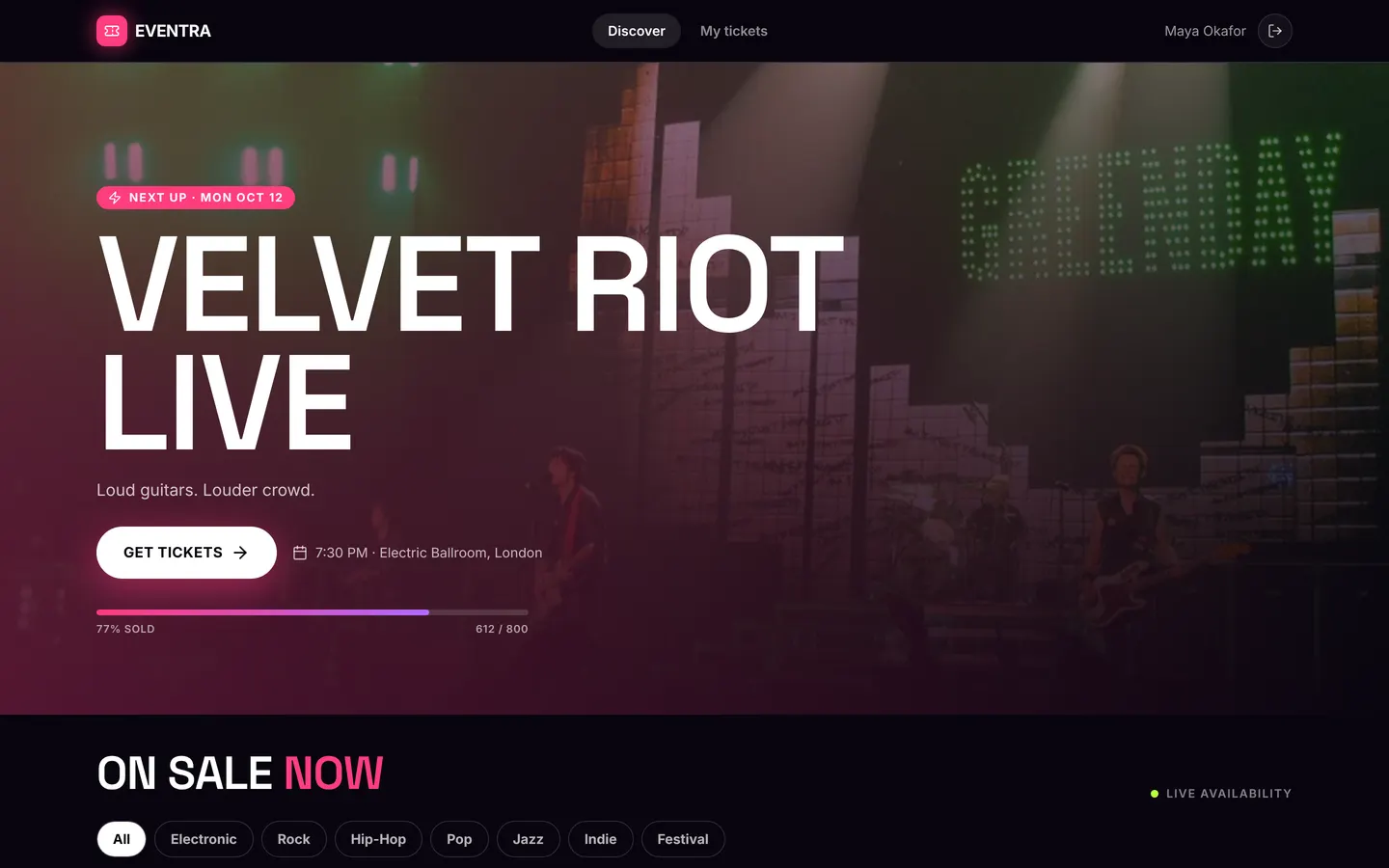
Event discovery and ticket tiers. Tickets as QR passes. Live organizer dashboard and a check-in screen.
Tables
attendeename, emailorganizername, companydoornameeventorganizer_id, title, tagline, genre, venue, city, lat, lng, …ticket_tierevent_id, name, price, perksticketcode, event_id, tier_id, attendee_id, organizer_id, event_title, tier_name, holder_name, …reminderattendee_id, event_id, title, message
Roles
attendeeAttendee, consumerorganizerOrganizer, staffdoorDoor staff, staff
Pages
/discoverDiscover (attendee)/event/:idEvent (attendee)/ticketsMy tickets (attendee)/backstageBackstage (organizer)/gateCheck-in (door)/teamTeam (organizer)
Components
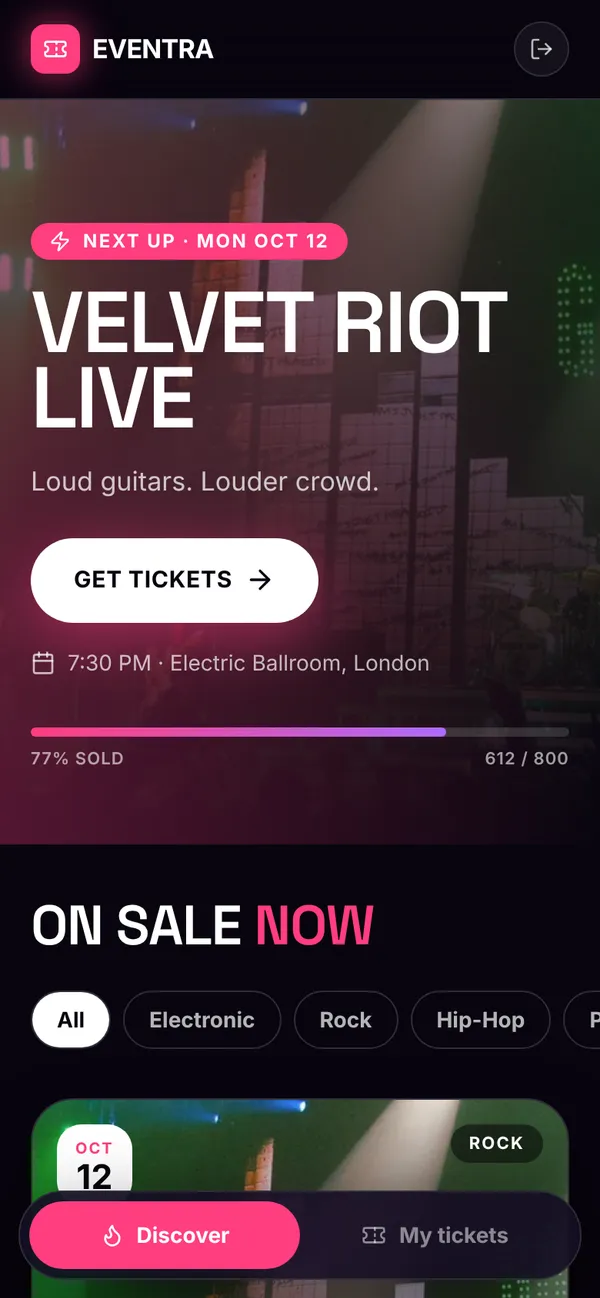
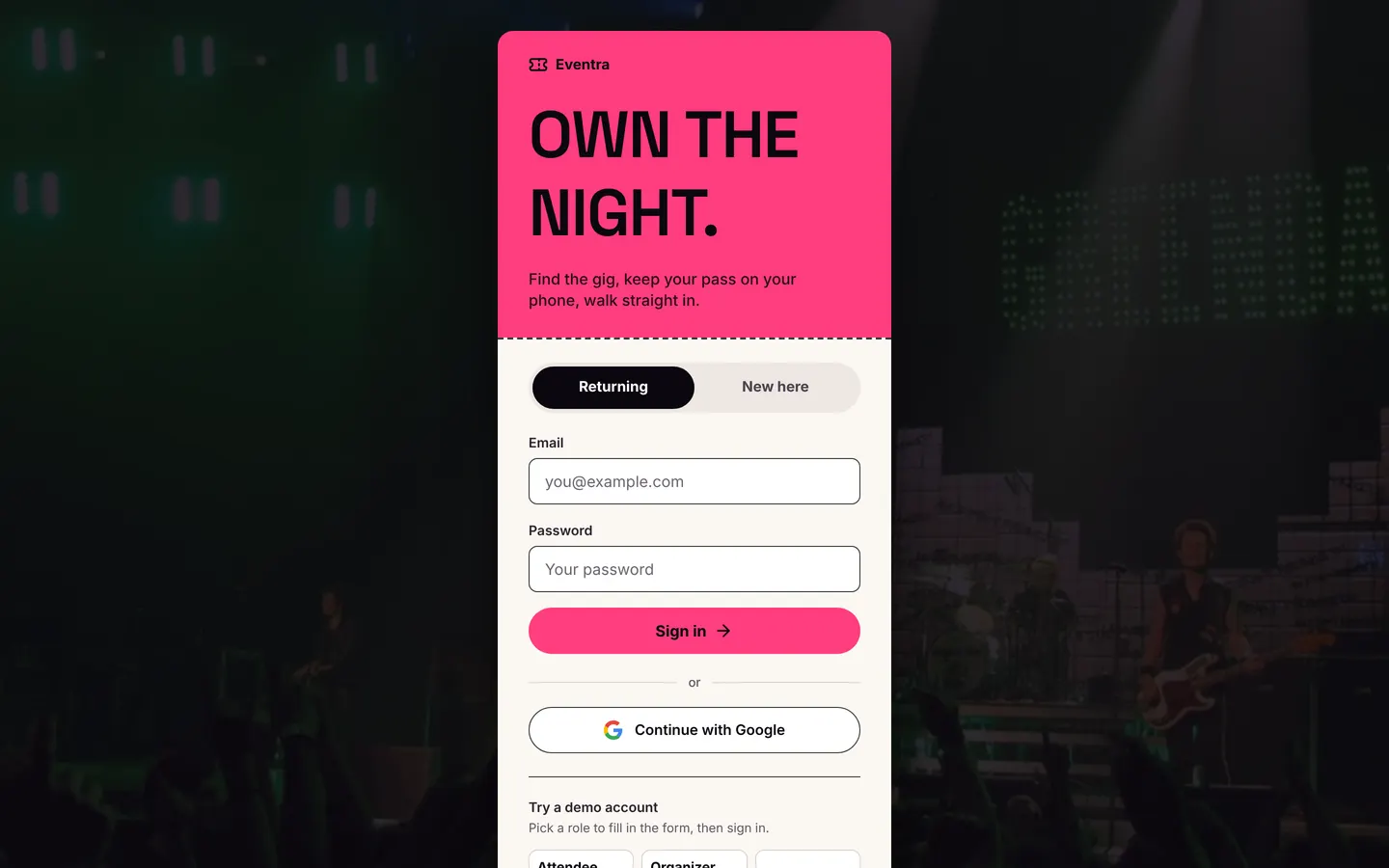
EventraAuthEventra sign-in: a hot-pink ticket stub over concert photography, labelled fields and GoogleEventraDiscoverAttendee home: next-up hero, search and genre filter, event cards with live availabilityEventraEventEvent detail: key facts, lineup, venue map, pass picker with quantity and purchase confirmationEventraTicketsMy tickets: QR passes grouped into coming up and past, with check-in statusEventraOrganizerOrganizer backstage: events table with status, live event dashboard (sales chart, pass mix, guest list) and event editor with AI blurb draftingEventraDoorDoor check-in: pick tonight's show, scan or type codes, full-screen admit/refuse results and recent check-ins
Rules on every write
ticketSold out — this event has no tickets left.ticketAlready checked in — this ticket was used.
How its workflows run
Each one is a server workflow in your project: it runs on its trigger, with retries, and its runs show in the builder's log.
- Confirm ticket to attendee
When a row changes:
ticket created. Then: Notify, then Send email. - Tell organizer about a sale
When a row changes:
ticket created. Then: Notify. - Count sold tickets
When a row changes:
ticket created. Then: Look up event, then Update event. - Count check-ins
When a row changes:
ticket updated. Then: Look up event, then Update event. - Remind attendees of tomorrow's events
On a schedule:
schedule daily 10:00 over ticket. Then: Look up event, then Create reminder. - Push reminder to attendee
When a row changes:
reminder created. Then: Notify.
Set it up
It starts a new project, with its data, roles and sign-in ready.
- Start the project
Use the button above, or ask your coding agent with the Appbricx MCP server connected (quickstart).
- Sign in as each role
The demo logins open each role's home. Change what you like in plain words or in the contract.
- Deploy
When dev looks right, deploy. Production gets a snapshot first, so you can roll back.
Use it with your coding agent
The agent creates the project, builds it and signs in as each role.
Start a new Appbricx project from the Eventra template (slug "eventra") with use_template. Call it "My Eventra", then sign in as each role, verify it and tell me what to change first.{
"tool": "use_template",
"arguments": {
"slug": "eventra",
"name": "My Eventra"
}
}appbricx templates use eventra --name "My Eventra"