Studio Bookings
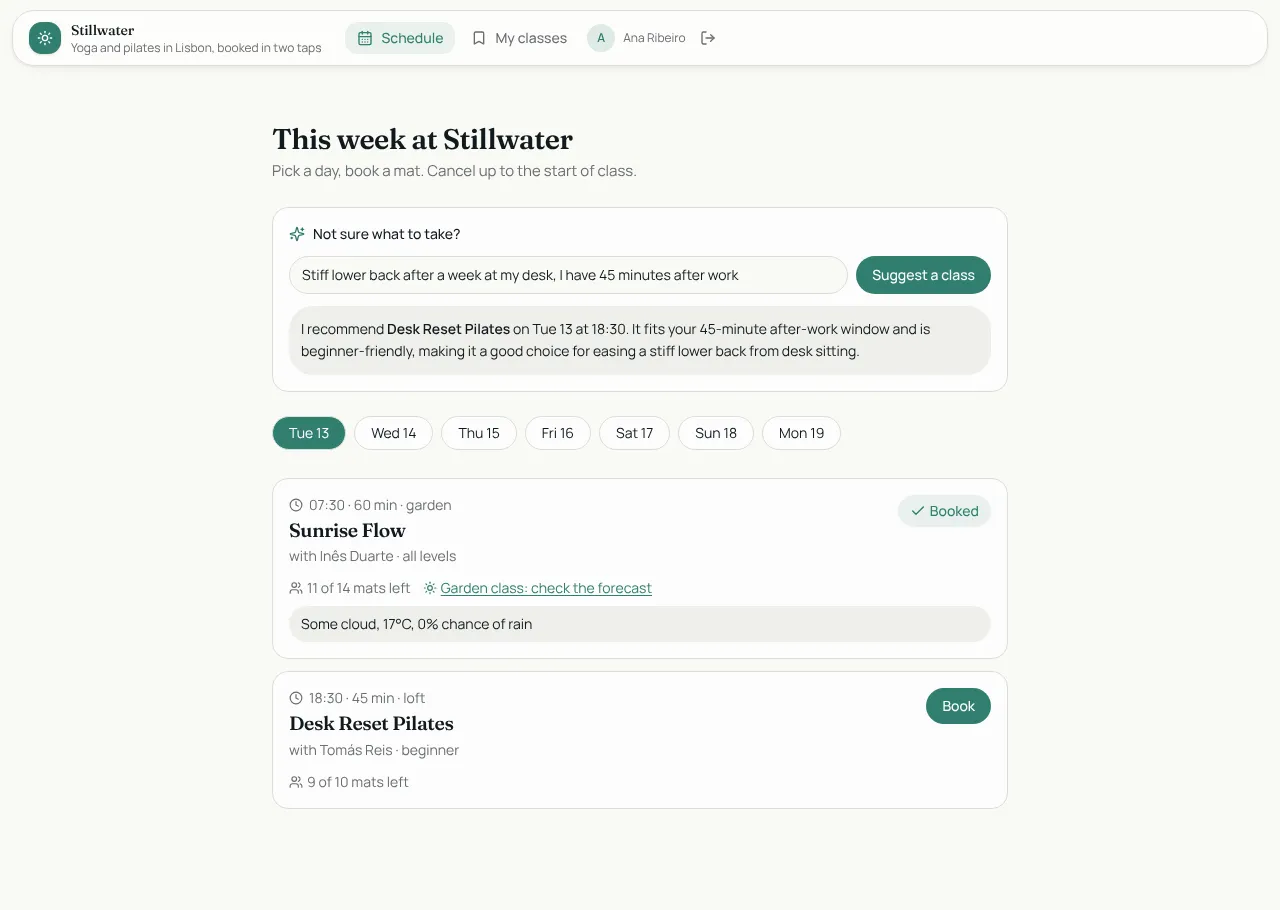
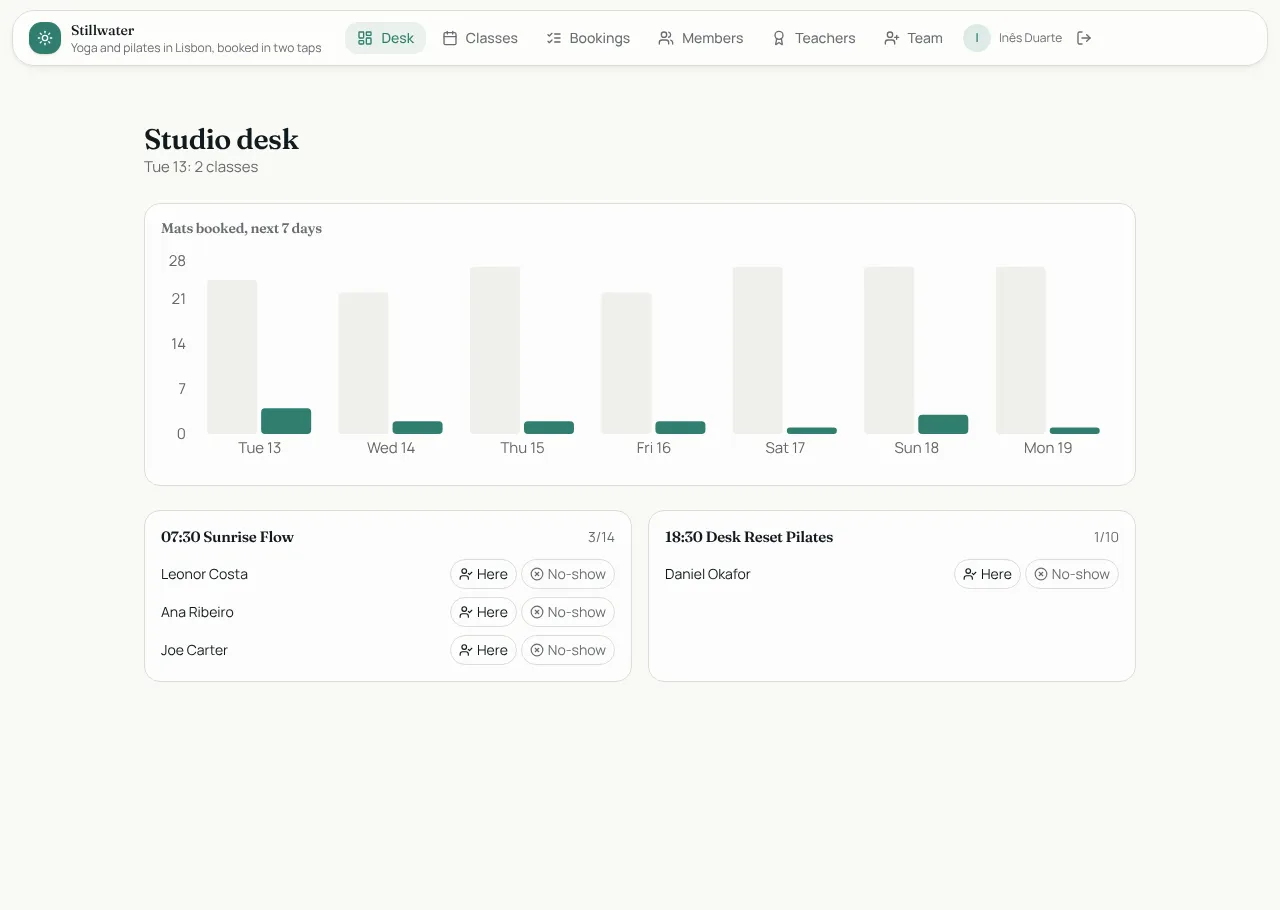
The app from the Appbricx tutorial. Members sign up, pick a day and book a class; a rule refuses a full class. Instructors get a desk with tomorrow's rosters, check-in and a chart of mats booked, plus a morning digest. It also shows a server function calling a weather API and an AI class finder.
Members sign up and book. Instructors run the schedule.
What's inside
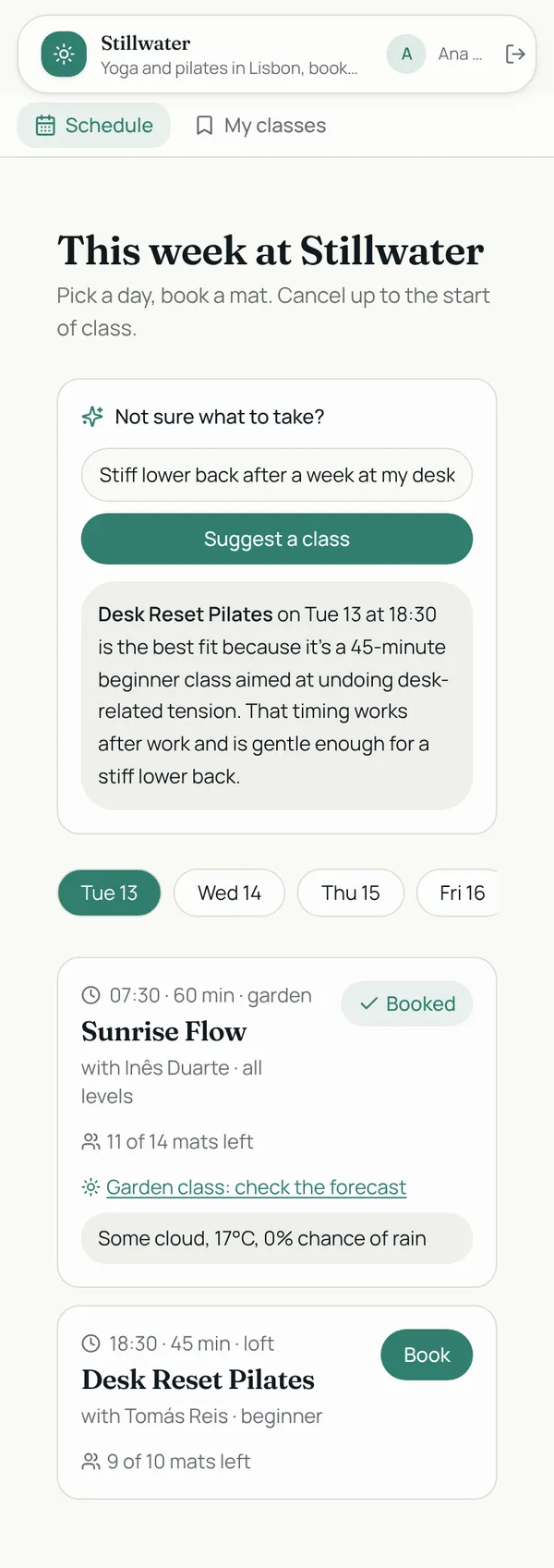
Weekly schedule with one-tap booking. My classes with cancel. Instructor desk with rosters, check-in and a bookings chart.
Tables
membername, email, goalsinstructorname, bio, photosessiontitle, style, level, instructor_id, starts_at, duration_min, capacity, booked, …bookingmember_id, session_id, status, note
Roles
memberMember, consumerinstructorInstructor, staff
Pages
/scheduleSchedule (member)/my-classesMy classes (member)/deskDesk (instructor)/classesClasses (instructor)/bookingsBookings (instructor)/membersMembers (instructor)/teachersTeachers (instructor)/teamTeam (instructor)
Components
ClassScheduleMember schedule: pick a day, book a class, AI class finder, garden-class forecastMyBookingsA member's upcoming classes with cancel, and their historyStudioDeskInstructor desk: next day's rosters with check-in, and a chart of mats booked
Rules on every write
sessionClasses run 15 to 180 minutes for 1 to 30 people.bookingThat class is full. Try another time.
How its workflows run
Each one is a server workflow in your project: it runs on its trigger, with retries, and its runs show in the builder's log.
- Count the mat and tell instructors
When a row changes:
booking created. Then: Look up session, then Update session, then Notify. - Free the mat when a booking is cancelled
When a row changes:
booking updated, when status is cancelled. Then: Look up session, then Update session. - Morning bookings digest
On a schedule:
schedule daily 07:00 over booking. Then: Notify instructor. - Weather for a garden class
When the app calls it:
server function (member, instructor). Then: Look up session.
Set it up
It starts a new project, with its data, roles and sign-in ready.
- Start the project
Use the button above, or ask your coding agent with the Appbricx MCP server connected (quickstart).
- Sign in as each role
The demo logins open each role's home. Change what you like in plain words or in the contract.
- Deploy
When dev looks right, deploy. Production gets a snapshot first, so you can roll back.
Use it with your coding agent
The agent creates the project, builds it and signs in as each role.
Start a new Appbricx project from the Studio Bookings template (slug "studio-bookings") with use_template. Call it "My Studio Bookings", then sign in as each role, verify it and tell me what to change first.{
"tool": "use_template",
"arguments": {
"slug": "studio-bookings",
"name": "My Studio Bookings"
}
}appbricx templates use studio-bookings --name "My Studio Bookings"Goes well with
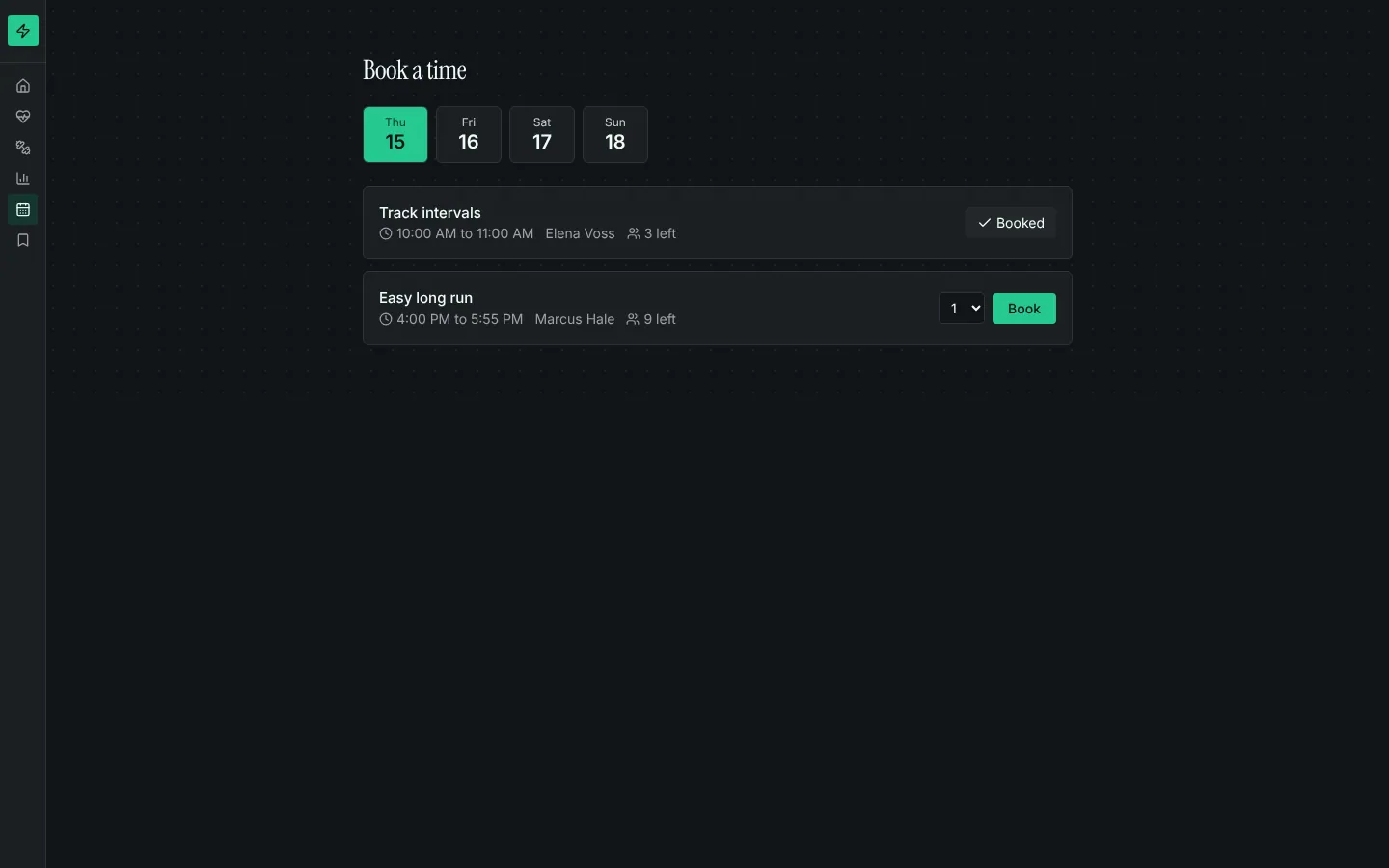
Booking calendar
Bookable time slots with capacity, a day picker, my bookings with cancel, and rules that stop double-booking.
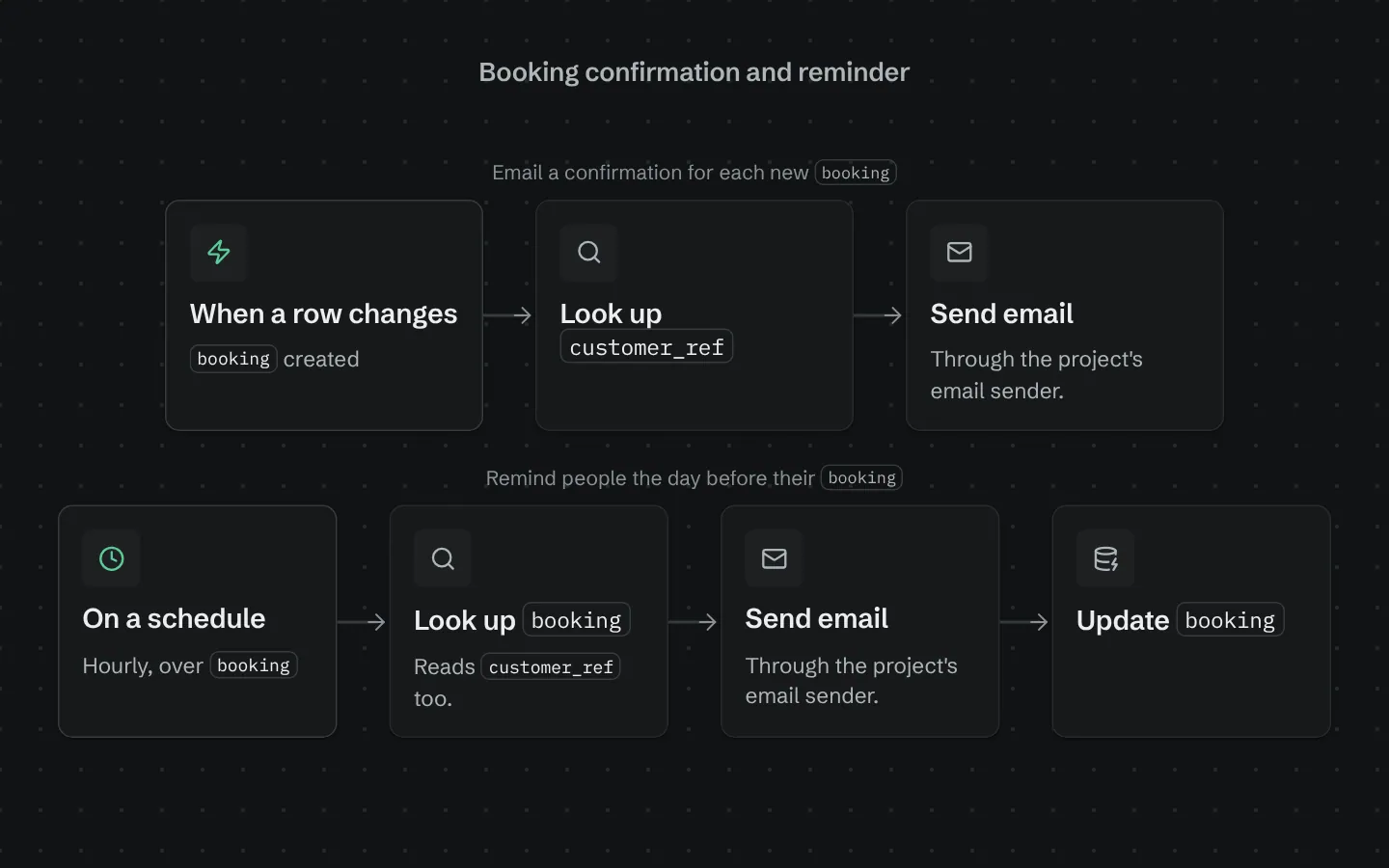
Booking confirmation and reminder
Emails a confirmation when a booking is made and a reminder the day before it starts.
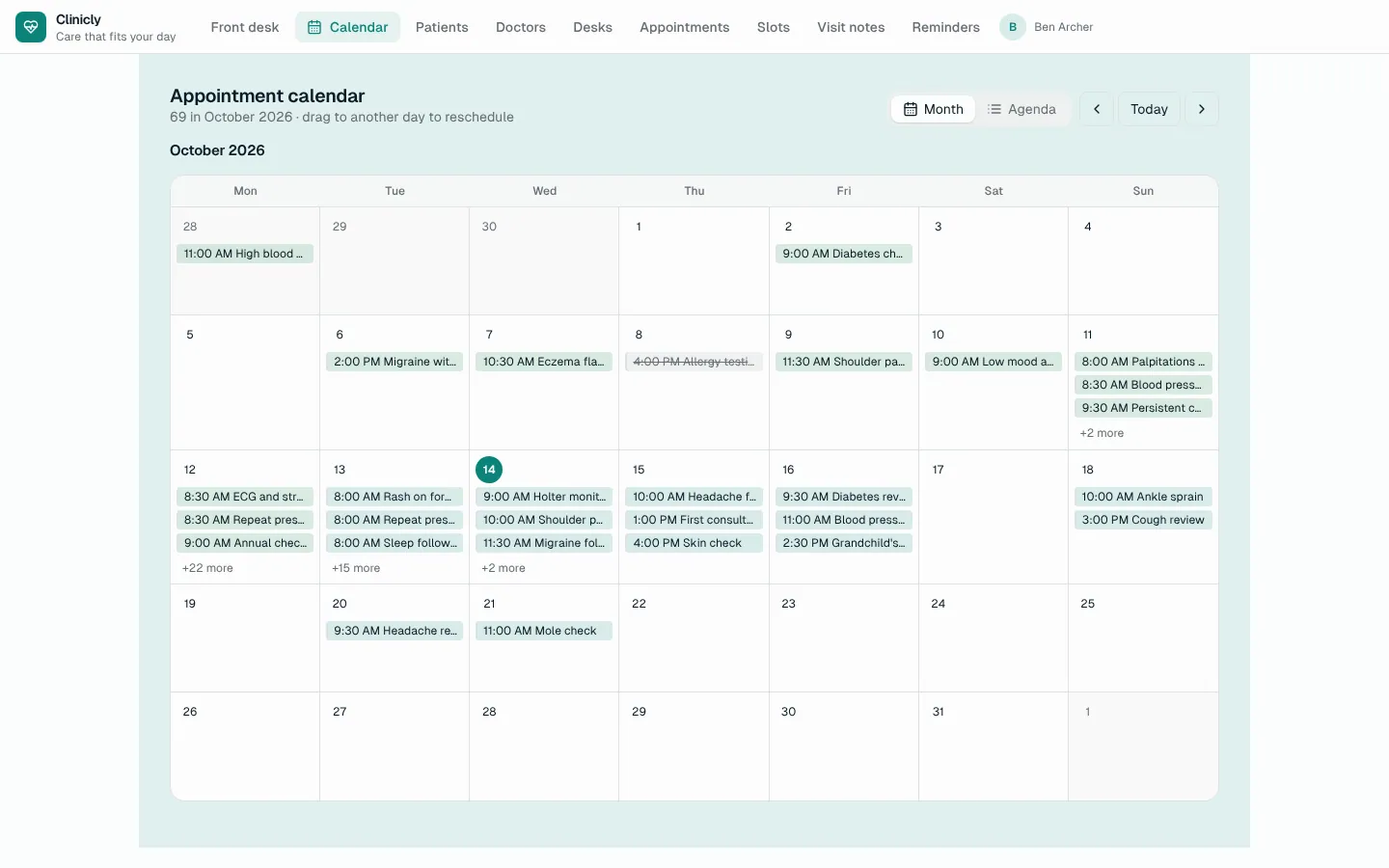
Calendar
A month calendar and agenda over any table with a date: colour-coded, drag to reschedule, add on a day, edit in place.