Stride
A training app where athletes log workouts and daily check-ins and their coach follows along. Athletes see a streak ring and weekly volume; coaches get a roster, each athlete's history and a feedback thread. Rules allow one check-in a day and no workouts in the future.
Athletes sign up. Coaches follow their athletes.
What's inside
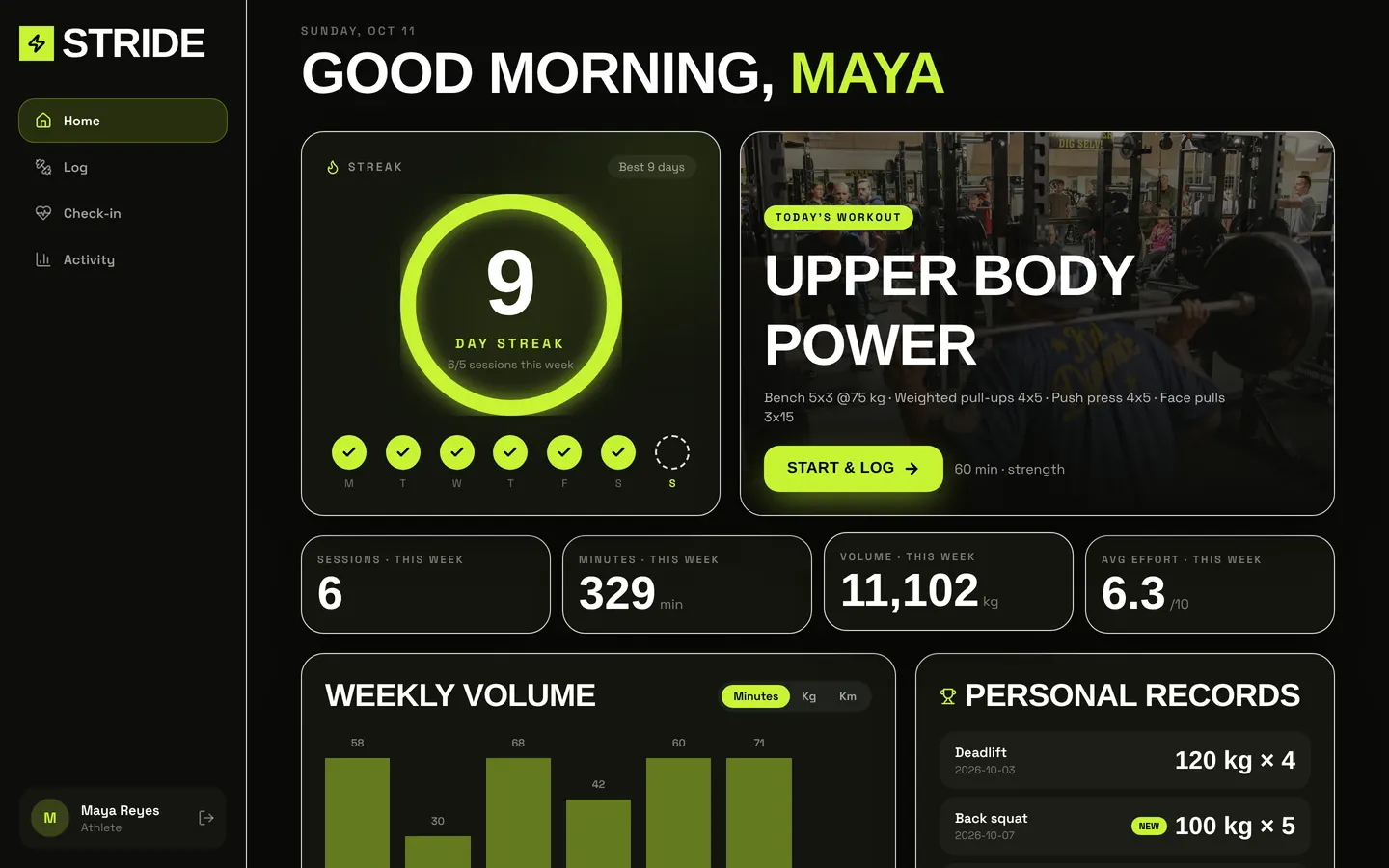
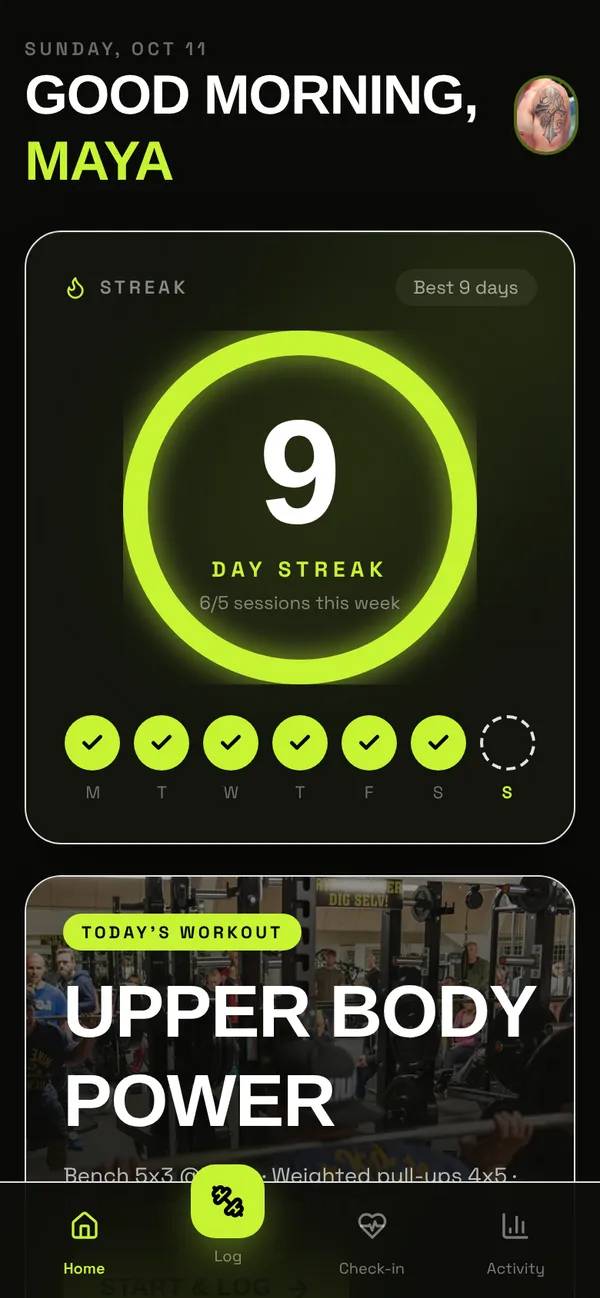
Athlete home with streak ring and weekly volume chart. Workout logging and daily check-in. Coach roster and feedback.
Tables
coachname, specialty, bio, photoathletename, coach_id, goal, level, weekly_target, photoplan_dayathlete_id, coach_id, day, title, kind, details, duration_min, imageworkoutathlete_id, coach_id, athlete_name, day, title, kind, effort, duration_min, …checkinathlete_id, coach_id, athlete_name, day, sleep_hours, mood, soreness, notefeedbackworkout_id, athlete_id, coach_id, coach_name, workout_title, message, tonedigestathlete_id, coach_id, week_start, sessions, minutes, volume, avg_effort, checkins, …
Roles
athleteAthlete, consumercoachCoach, staff
Pages
/Home (athlete)/checkinCheck-in (athlete)/logLog (athlete)/activityActivity (athlete)/coachRoster (coach)/coach/athlete/:idAthlete (coach)/teamTeam & access (coach)
Components
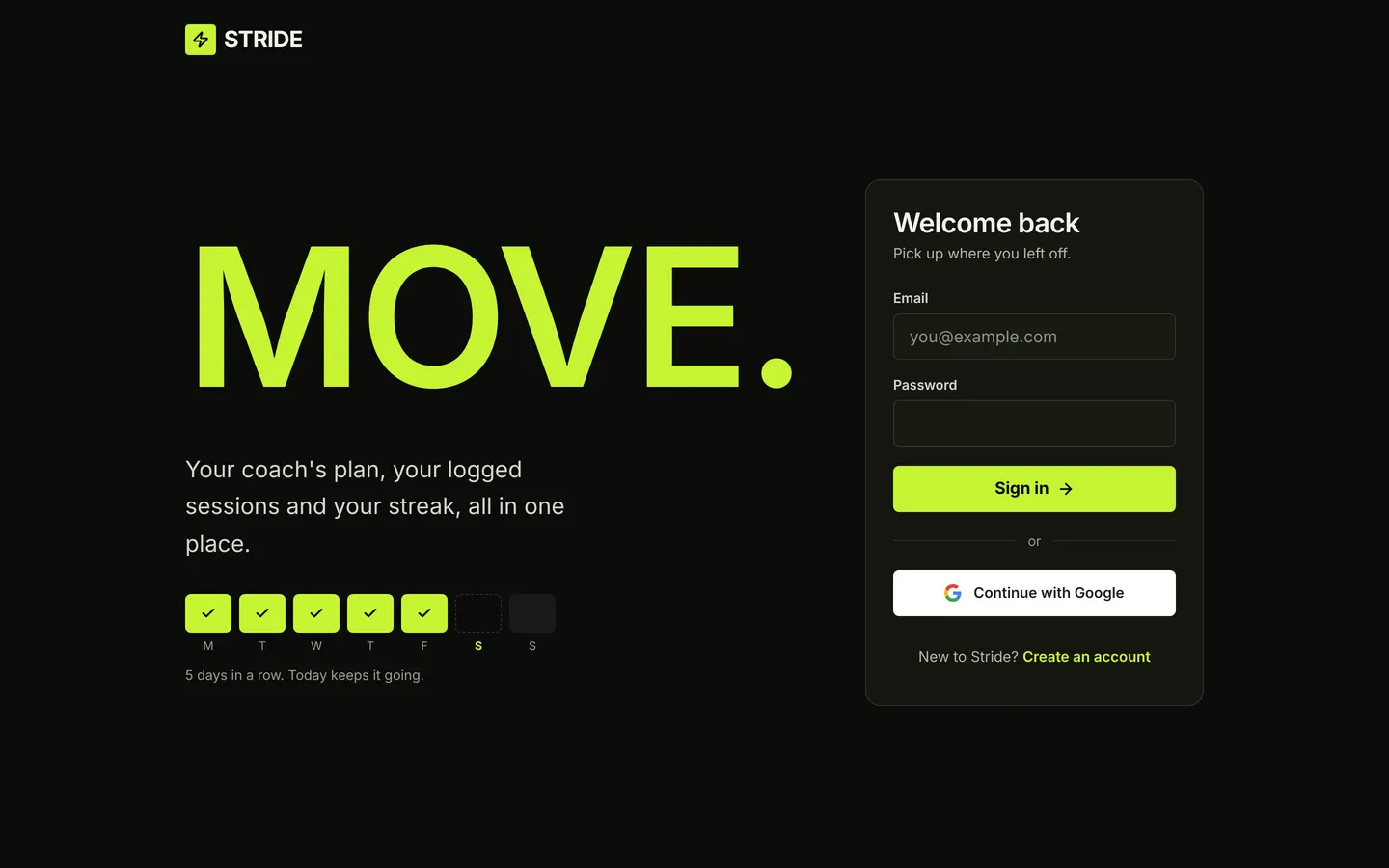
AthleteHomeAthlete home: today's session, streak and weekly target, rolling 7-day totals, AI coach tip, load chart, coach feedback, PRs, check-in prompt, weekly digestStrideLoginType-led sign-in: big MOVE. headline, streak motif, labelled form, GoogleCheckInDaily check-in: sleep, mood and soreness with a 7-day trendLogWorkoutWorkout logger: prefilled from today's plan, exercises or distance, effort 1-10, notes, and a calm completion momentActivityAthlete history: 12-week consistency heatmap, workouts with coach replies, this week's plan and weekly digestsCoachRosterCoach home: summary, athletes needing attention, roster with weekly progress and last check-in, review queue with inline feedbackCoachAthleteCoach view of one athlete: profile, 7-day stats, 14-day chart, training log with replies, AI-drafted feedback, weekly plan assignment, check-insCoachNavCoach header and page title used above platform blocks (Team & access), with the Stride dark palette
Rules on every write
workoutA workout can't be logged with a date in the future.checkinYou've already checked in today.
How its workflows run
Each one is a server workflow in your project: it runs on its trigger, with retries, and its runs show in the builder's log.
- Workout logged → notify the coach
When a row changes:
workout created. Then: Notify. - Coach feedback → notify the athlete
When a row changes:
feedback created. Then: Notify. - Monday 07:00 weekly digest
On a schedule:
schedule weekly mon 07:00 over workout. Then: Look up athlete, then Create digest, then Notify.
Set it up
It starts a new project, with its data, roles and sign-in ready.
- Start the project
Use the button above, or ask your coding agent with the Appbricx MCP server connected (quickstart).
- Sign in as each role
The demo logins open each role's home. Change what you like in plain words or in the contract.
- Deploy
When dev looks right, deploy. Production gets a snapshot first, so you can roll back.
Use it with your coding agent
The agent creates the project, builds it and signs in as each role.
Start a new Appbricx project from the Stride template (slug "stride") with use_template. Call it "My Stride", then sign in as each role, verify it and tell me what to change first.{
"tool": "use_template",
"arguments": {
"slug": "stride",
"name": "My Stride"
}
}appbricx templates use stride --name "My Stride"