Ledgerly
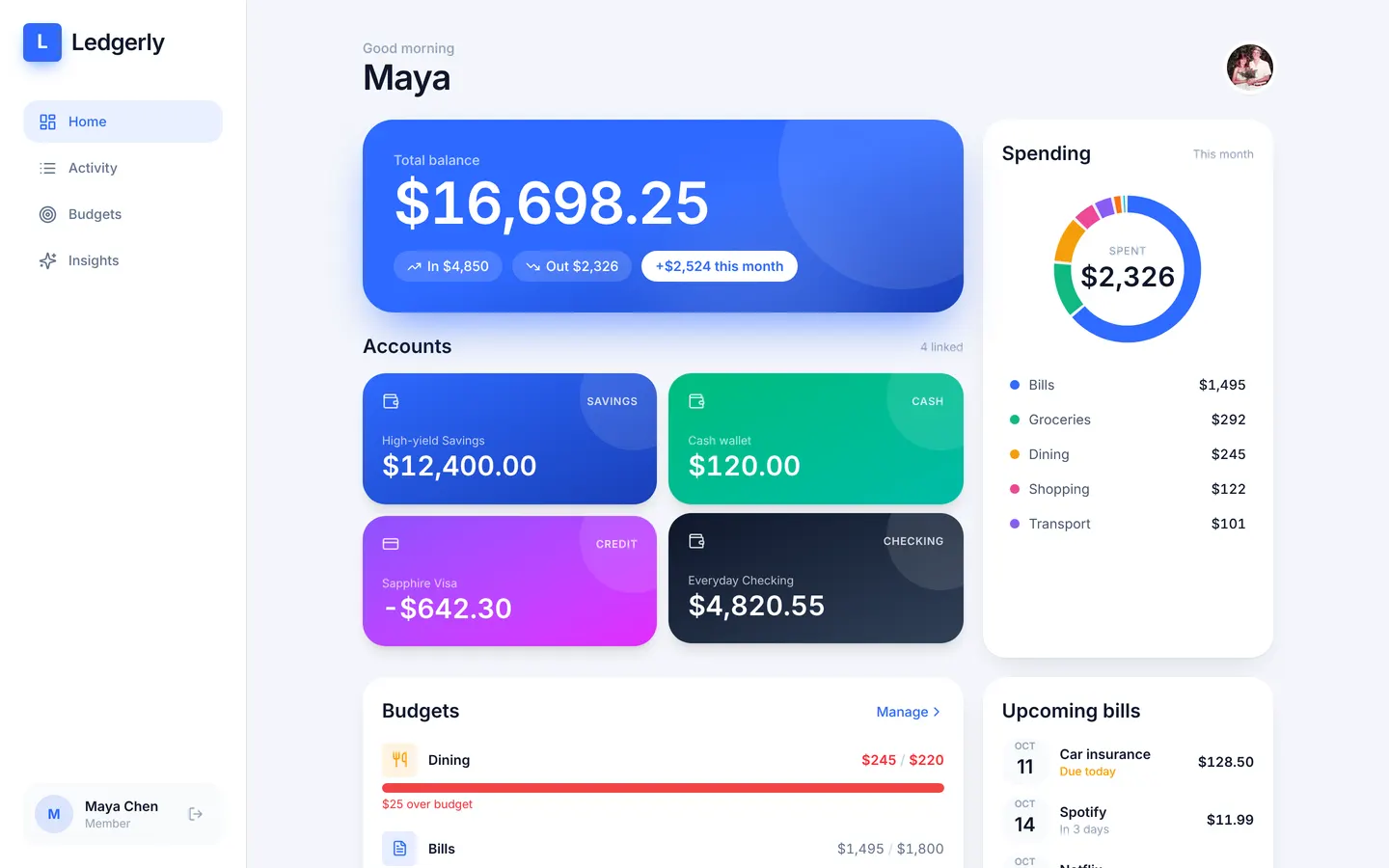
A personal finance app for balances, budgets and bills, private to each member: sign in as a second member and none of the first one's money is visible. Recurring bills post themselves daily and an over-budget check flags spending as it happens.
Members sign up and manage only their own money.
What's inside
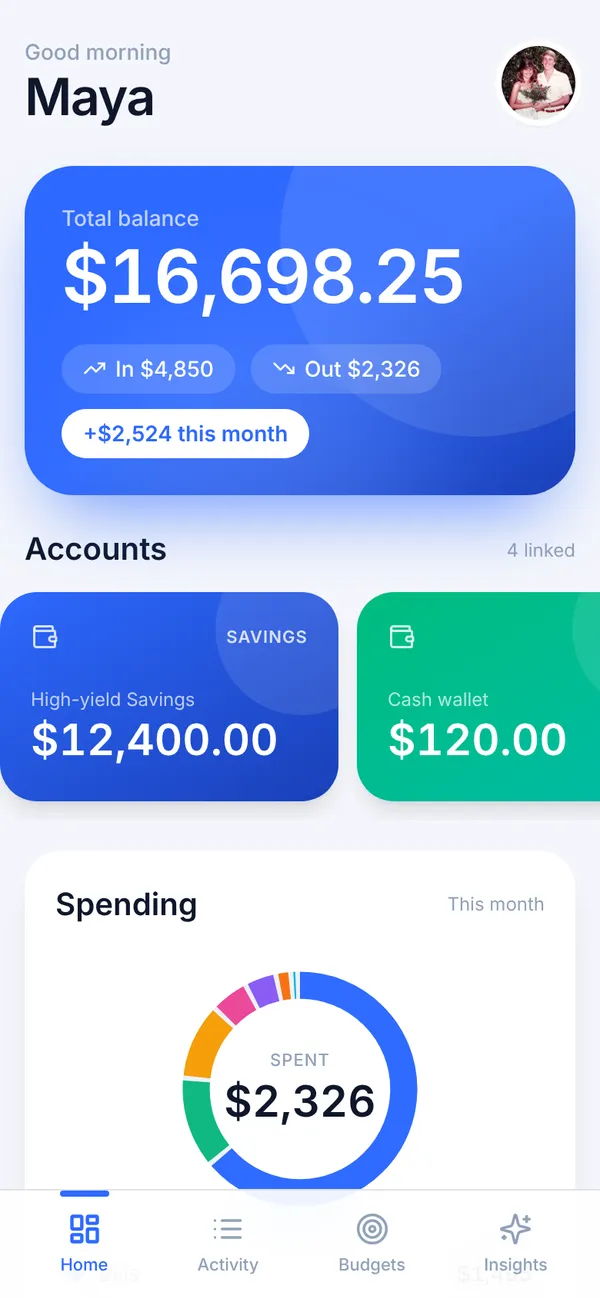
Dashboard with balances and a spending donut. Transactions grouped by day. Monthly budgets and recurring bills.
Tables
adminnamemembername, photoaccountmember_id, name, kind, balance, institutionbudgetmember_id, category, monthly_limitbillmember_id, name, amount, day_of_month, category, activetransactionmember_id, account_id, bill_id, title, amount, category, date, note, …
Roles
memberMember, consumeradminTeam, staff
Pages
/dashboardHome (member)/transactionsActivity (member)/budgetsBudgets (member)/insightsInsights (member)/teamTeam & access (admin)
Components
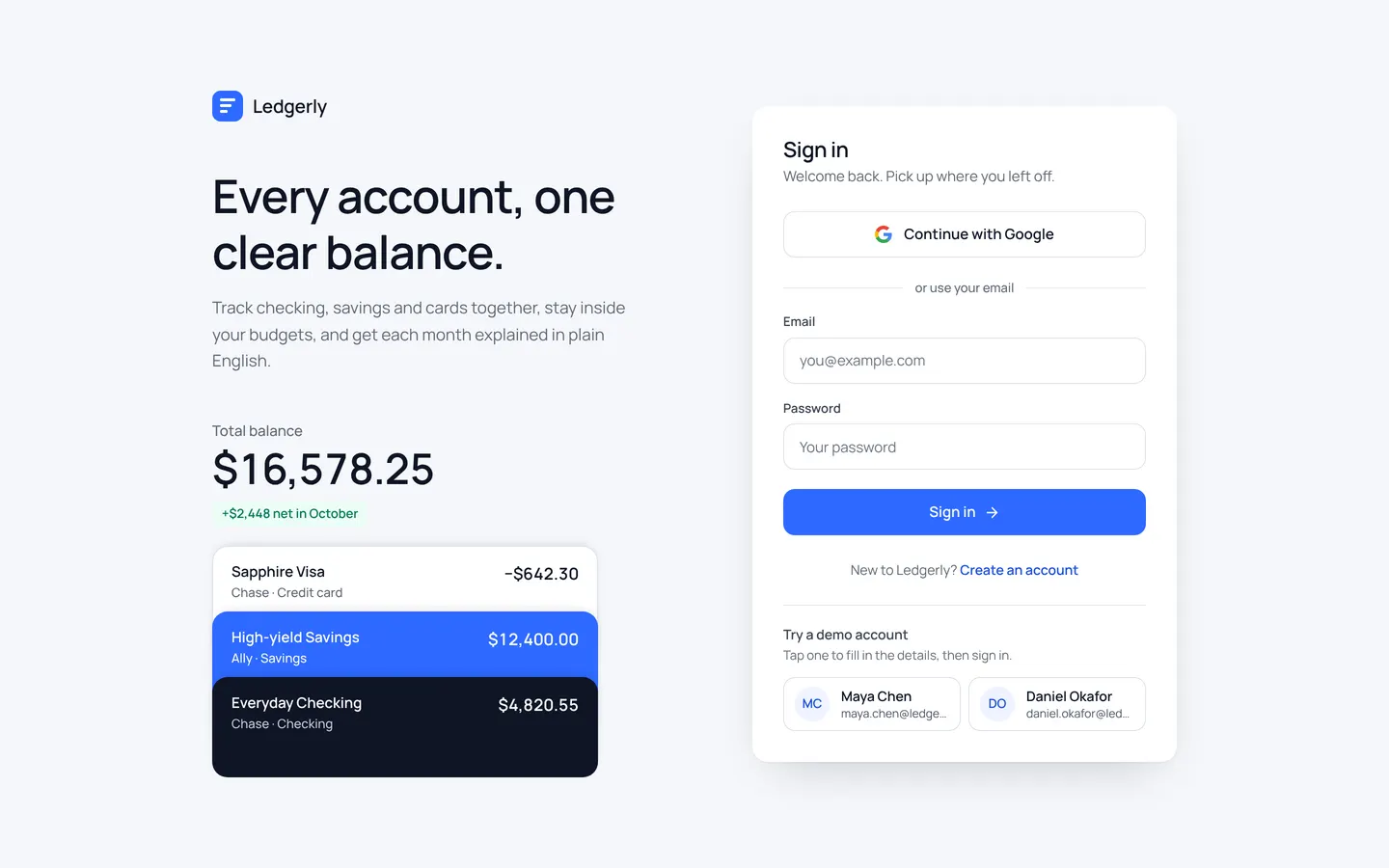
DashboardScreenHome: total balance, account card stack, AI teaser, spending donut, budgets, upcoming bills, recent activityTransactionsScreenActivity: searchable, filterable transactions grouped by day, swipe-to-delete rows and a bottom-sheet editorBudgetsScreenBudgets: monthly category limits with a left-to-spend summary, plus recurring bills, each with a sheet editorInsightsScreenInsights: AI 'Explain my month' with loading, fallback and tip, plus month stats, monthly spending bars and category breakdownLedgerlyAuthSign-in / sign-up: soft-grey page, headline and account card-stack preview beside a white form card, Google sign-in and demo account shortcutsTeamHeaderTeam & access page heading with plain-language privacy note; also applies the app's type, radius and motion overrides and lets member rows wrap on phones
Rules on every write
budgetA budget limit must be greater than zero.billDay of month must be between 1 and 31.transactionAmount must be non-zero and the date no more than 1 day in the future.
How its workflows run
Each one is a server workflow in your project: it runs on its trigger, with retries, and its runs show in the builder's log.
- Create today's recurring bill transactions
On a schedule:
schedule daily 06:00 over bill. Then: Look up bill, then Create transaction. - Flag transactions that push a category over budget
When a row changes:
transaction created. Then: Look up budget, then Update transaction. - Notify the member when a category is over budget
When a row changes:
transaction updated, when alert is over. Then: Notify.
Set it up
It starts a new project, with its data, roles and sign-in ready.
- Start the project
Use the button above, or ask your coding agent with the Appbricx MCP server connected (quickstart).
- Sign in as each role
The demo logins open each role's home. Change what you like in plain words or in the contract.
- Deploy
When dev looks right, deploy. Production gets a snapshot first, so you can roll back.
Use it with your coding agent
The agent creates the project, builds it and signs in as each role.
Start a new Appbricx project from the Ledgerly template (slug "ledgerly") with use_template. Call it "My Ledgerly", then sign in as each role, verify it and tell me what to change first.{
"tool": "use_template",
"arguments": {
"slug": "ledgerly",
"name": "My Ledgerly"
}
}appbricx templates use ledgerly --name "My Ledgerly"