Nook
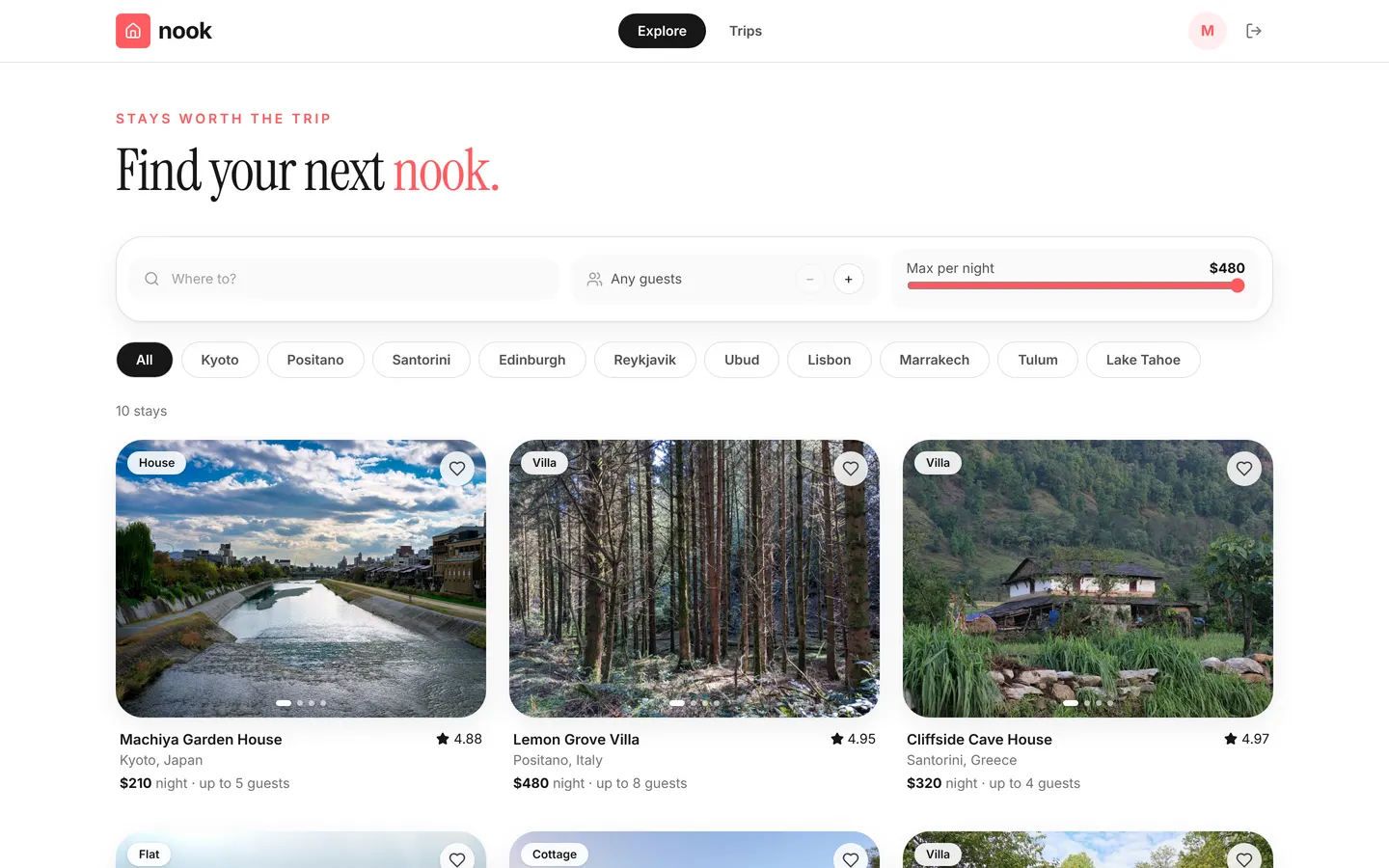
Guests browse stays with photo carousels and request dates; hosts list stays, accept requests and track earnings. Rules refuse overlapping stays and reviews before a stay, and a daily workflow completes past bookings.
Guests sign up. Hosts list stays and accept requests.
What's inside
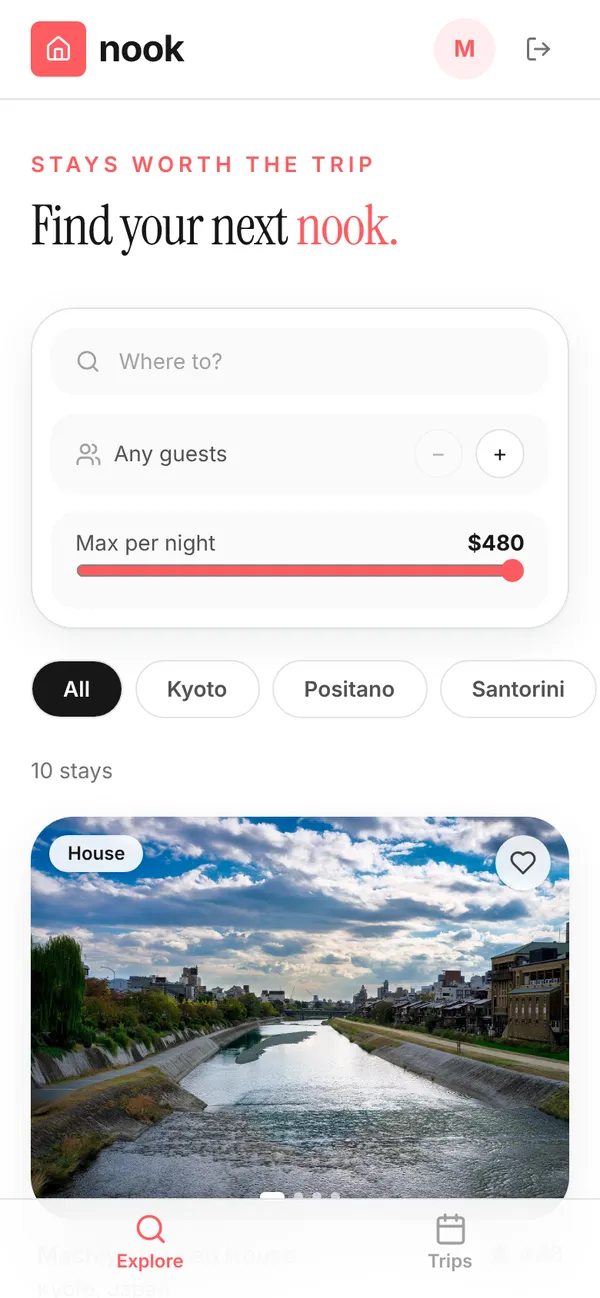
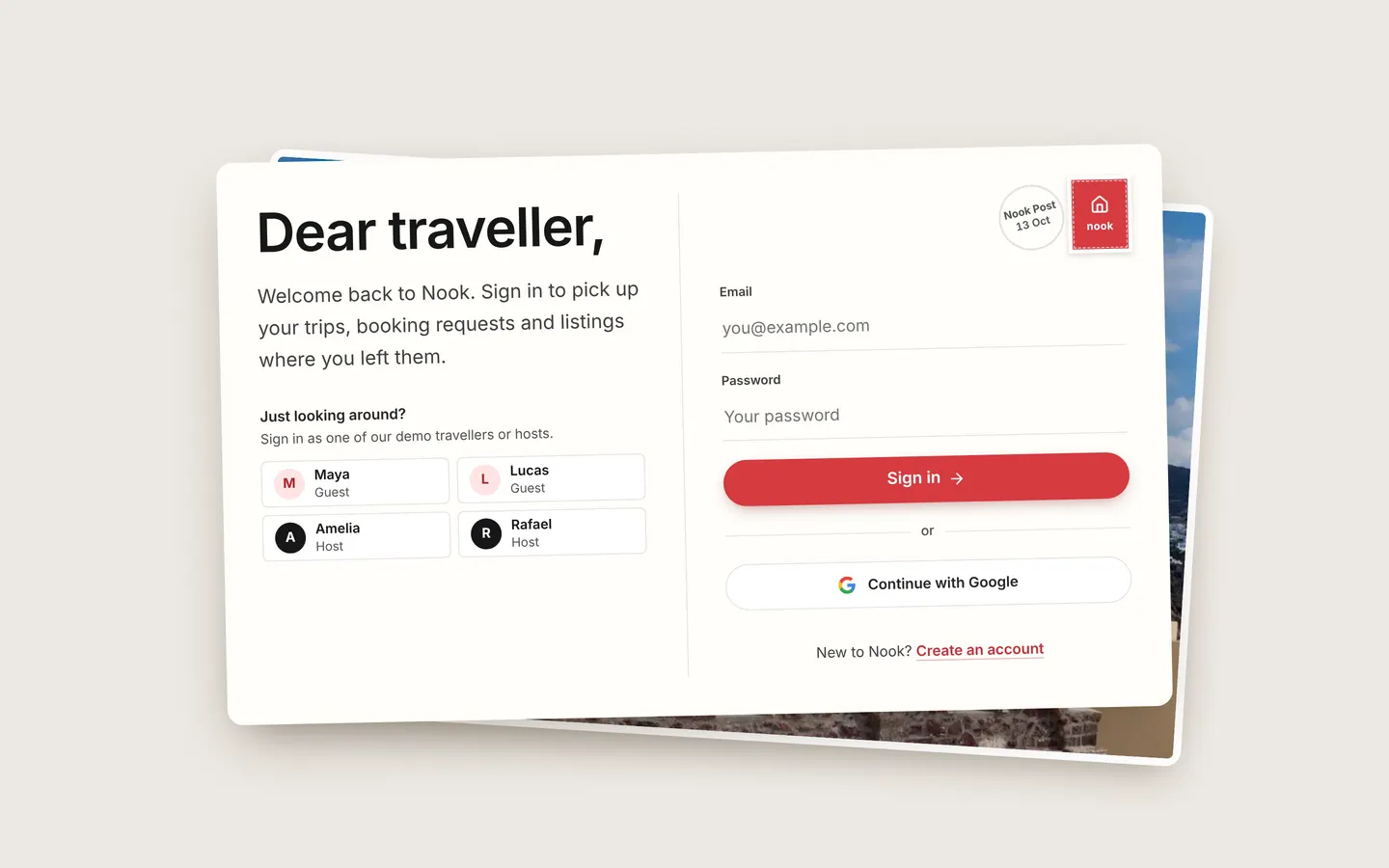
Stays grid with photo carousels. Booking panel with price breakdown. Host listings, requests and earnings.
Tables
guestname, home_city, photohostname, bio, photo, superhost, response_rate, hosting_sincestayhost_id, title, city, country, kind, summary, price_per_night, cleaning_fee, …bookingstay_id, guest_id, host_id, check_in, check_out, guests, nights, total, …booked_rangestay_id, booking_id, check_in, check_out, activereviewstay_id, booking_id, guest_id, rating, comment
Roles
guestGuest, consumerhostHost, staff
Pages
/exploreExplore (guest)/tripsTrips (guest)/hostingListings (host)/hosting/requestsRequests (host)/hosting/earningsEarnings (host)/teamTeam & access (host)/stay/:idStay (guest)
Components
NookLoginPostcard sign-in / create-account screen with Google and one-tap demo accountsNookExploreGuest explore: search, filters and a photo-led grid of staysNookTripsGuest trips: next trip, upcoming and past stays, leave a reviewNookHostHost console: listings, booking requests, earningsNookStayStay detail: gallery, host, Ask about this stay (AI), amenities, availability calendar, reviews and the booking request panel
Rules on every write
stayYou can only manage your own listingsbookingCheck-out must be after check-inbookingCheck-in can't be in the pastbookingThat's more guests than this stay sleepsbookingThose dates are already bookedreviewYou can review a stay once it has ended
How its workflows run
Each one is a server workflow in your project: it runs on its trigger, with retries, and its runs show in the builder's log.
- Booking requested → notify host and hold the dates
When a row changes:
booking created. Then: Notify, then Create booked_range. - Booking confirmed → notify guest
When a row changes:
booking updated, when status is confirmed. Then: Notify. - Booking declined → notify guest, free the dates
When a row changes:
booking updated, when status is declined. Then: Notify, then Look up booked_range, then Update booked_range. - Daily: complete bookings whose check-out has passed
On a schedule:
schedule daily 06:00 over booking. Then: Look up booking, then Update booking.
Set it up
It starts a new project, with its data, roles and sign-in ready.
- Start the project
Use the button above, or ask your coding agent with the Appbricx MCP server connected (quickstart).
- Sign in as each role
The demo logins open each role's home. Change what you like in plain words or in the contract.
- Deploy
When dev looks right, deploy. Production gets a snapshot first, so you can roll back.
Use it with your coding agent
The agent creates the project, builds it and signs in as each role.
Start a new Appbricx project from the Nook template (slug "nook") with use_template. Call it "My Nook", then sign in as each role, verify it and tell me what to change first.{
"tool": "use_template",
"arguments": {
"slug": "nook",
"name": "My Nook"
}
}appbricx templates use nook --name "My Nook"